


How Do APIs Work? Complete Guide to Application Programming Interfaces
Learn how APIs work, their architecture, types, and real-world applications. Comprehensive guide to Application Programming Interfaces for developers and busine...
11 min read
An application programming interface (API) is a defined contract between two software components that specifies how they communicate.
For browser-side integrations, MDN’s Web API reference documents the interfaces available to website code. These differ from an affiliate platform’s own API, whose authentication, endpoints, and limits must be checked in that platform’s documentation.
On this page
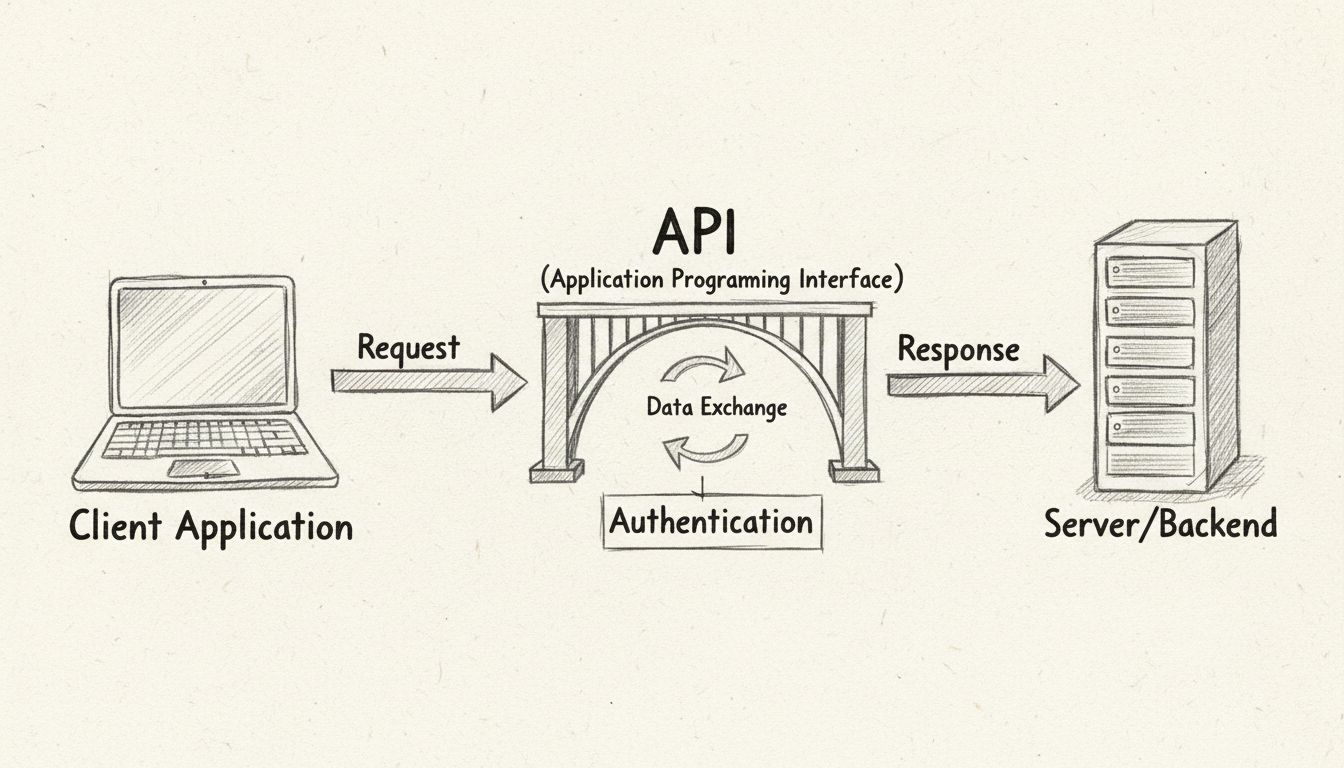
An application programming interface (API) is a defined contract between two software components that specifies how they communicate. One component makes a request in a structured format; the other returns a response with the requested data or performs the requested action.
The definition has three parts that matter:
Critically, an API is not a user interface. End users never see it. When a shopper clicks “Pay with PayPal” on an e-commerce site and sees a confirmation screen seconds later, the API handled the handshake between the store and PayPal’s servers — but the shopper only saw the result.

Set up advanced tracking in minutes. No credit card required.
API stands for Application Programming Interface. Breaking it down:
| Component | What It Means |
|---|---|
| Application | Any software program with a defined function — a mobile app, a web service, a database, an operating system component |
| Programming | The interaction happens through code, not through buttons or menus. Developers write instructions that call the API’s exposed methods. |
| Interface | The shared boundary. It defines what can be requested and how, without exposing how the underlying system fulfills the request. |
The term has been in use since at least the 1960s, but it entered mainstream software vocabulary with the rise of web APIs in the early 2000s. Today, when most people say “API” without qualification, they mean a web API — one that communicates over the internet using HTTP.
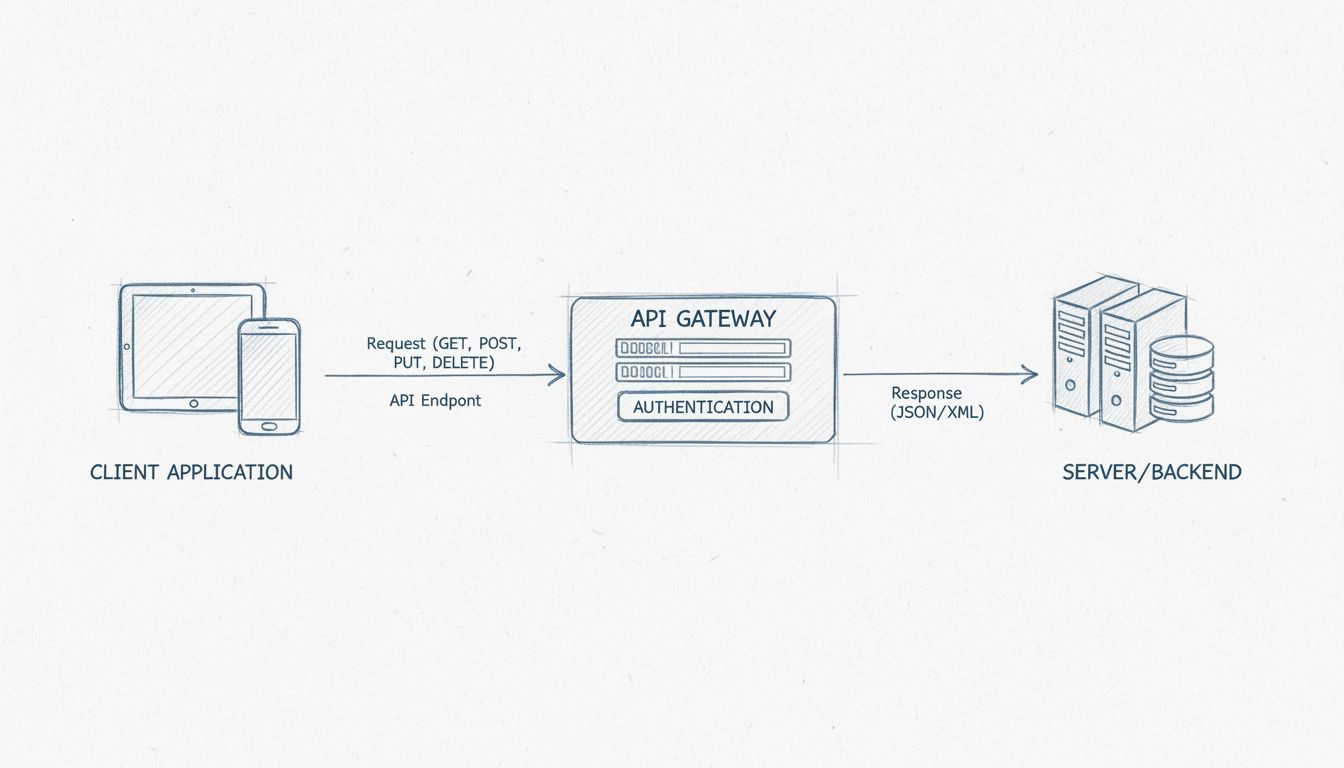
API communication follows a client-server request-response model. Here is the lifecycle of a single API call:
The client application initiates a request. A developer writes code that sends an HTTP request to a specific API endpoint — a URL that represents a resource or action. The request includes a method (GET, POST, PUT, DELETE), headers (metadata like authentication tokens), and optionally a body (the payload, often in JSON format).
The API receives and validates the request. The server checks that the request is well-formed, that the authentication credentials are valid, and that the client is authorized to perform the requested operation.
The server processes the request. This may involve querying a database, calling another internal service, transforming data, or triggering a business process. The API layer abstracts all of this away from the client.
The server returns a response. The response includes an HTTP status code (200 for success, 404 for not found, 500 for server error, etc.), response headers, and typically a body containing the requested data or a confirmation message — commonly formatted as JSON or XML.
The client application consumes the response. The calling code parses the data and uses it — updating a display, storing a record, triggering the next step in a workflow.
A concrete example: a weather app on your phone sends a request like GET /weather?city=Dallas to a weather service API. The API queries its data sources, constructs a JSON response with the temperature, humidity, and forecast, and returns it. The app parses that JSON and displays “82°F, partly cloudy.” The app never needs to know how the weather service collects or stores its data — it only needs to follow the API’s contract.
https://api.weatherservice.com/v2/weather?city=Dallas&units=imperialBe the first to know about new features and product updates.
An API endpoint is a specific URL (or URI) within an API that corresponds to a particular resource or operation. While an API is the entire interface, an endpoint is one addressable touchpoint within it.
For example, a hypothetical affiliate marketing API might expose these endpoints:
| Endpoint | Method | What It Does |
|---|---|---|
/commissions | GET | Retrieves a list of commissions |
/commissions/{id} | GET | Retrieves a single commission by ID |
/commissions | POST | Creates a new commission record |
/affiliates/{id}/earnings | GET | Returns total earnings for a specific affiliate |
/clicks | POST | Registers a click event for tracking |
Each endpoint represents a distinct capability. Well-designed APIs use consistent, predictable endpoint naming so developers can reason about the interface without constantly consulting documentation. This pattern — treating URLs as resources and using HTTP methods to describe actions — is the foundation of REST API design.
Endpoints matter because they define the granularity of what you can ask the system to do. An API with well-designed endpoints lets developers compose complex workflows from simple, reusable calls. An API with poorly designed endpoints forces developers into workarounds — making multiple calls to assemble data that should have been available in one, or parsing oversized responses to find the one field they need.
APIs can be categorized two ways: by access level (who can use them) and by technical layer (where they operate in the software stack).
| Type | Who Has Access | Common Use Cases |
|---|---|---|
| Public (Open) APIs | Any external developer, often with an API key | Weather data, public transit schedules, social media sharing, payment gateways |
| Partner APIs | Specific business partners under contract | B2B data exchange, supplier integration, co-branded services |
| Private (Internal) APIs | Only internal development teams | Connecting microservices, syncing internal databases, automating internal workflows |
| Composite APIs | Authorized clients needing batched operations | Combining multiple API calls into one request to reduce round trips and improve performance |
Public APIs — sometimes called open APIs — are the most visible category. Companies like Google (Maps), Stripe (payments), and OpenAI (ChatGPT) expose public APIs that any developer can integrate after registering for credentials. The business model varies: some are free with rate limits, others charge per call, and still others drive adoption of a platform.
Partner APIs sit between public and private. They are exposed to specific business partners under negotiated terms. An affiliate network, for example, might expose a partner API that lets approved advertisers query commission data programmatically — but the same API is not available to the general public.
Private APIs — also called internal APIs — are used exclusively within an organization. A company’s mobile app might talk to its backend through a private API that a public user could never discover. These APIs prioritize internal developer productivity and security over general-purpose usability.
Composite APIs address a performance problem: when a single user action requires data from five different services, making five separate API calls adds latency. A composite API bundles those requests into one call and returns a unified response. They are common in microservice architectures and API gateway configurations.
requests and calling requests.get() is using a library API. No network is involved.psycopg2 for PostgreSQL fall into this category.Not all web APIs are built the same way. The protocol — sometimes called the architectural style — defines how requests and responses are structured, what formats they use, and what constraints they follow.
Benefits of REST APIs:
curlLimitations of REST:
SOAP is an older, XML-based protocol that predates REST. It is more rigid: messages must conform to a strict XML schema, and the protocol defines its own security and transaction rules through WS-* standards.
SOAP is still used in enterprise environments — financial services, payment processing, and government systems — where its built-in security, transaction integrity, and formal contracts (WSDL files) matter more than REST’s simplicity. SOAP is legacy infrastructure that persists, not a technology teams choose for greenfield projects.
Instead of the server defining fixed endpoints with fixed response shapes, the client specifies exactly which fields it wants in a single query:
query {
  affiliate(id: "4821") {
    name
    totalEarnings
    recentCommissions(limit: 5) {
      amount
      date
      campaign { name }
    }
  }
}
Remote Procedure Call (RPC) APIs treat server-side operations as function calls. The client calls createInvoice(customer, amount) and the server returns the result. gRPC, developed by Google, is the modern RPC framework — it uses Protocol Buffers for efficient binary serialization and is popular in microservice architectures where performance matters more than human readability.
WebSocket APIs maintain a persistent two-way connection. Unlike REST’s request-response model, WebSocket lets the server push data to the client without waiting for a request. This is essential for real-time features: chat applications, live dashboards, collaborative editing, and streaming data feeds.
An API integration is the process of connecting two or more software systems through their APIs so they can exchange data and trigger actions automatically. The integration defines:
For example, an API integration between an e-commerce platform and an affiliate tracking system might work like this: when a customer completes a purchase, the e-commerce platform sends a POST request to the tracking system’s /conversions endpoint with the order details, affiliate ID, and commission amount. The tracking system records the conversion and returns a confirmation. No human copied data between spreadsheets; no CSV files were emailed.
The average mid-market company uses over 100 SaaS applications, and the ones that work together seamlessly — through documented, stable APIs — are the ones that win.
Affiliate marketing runs on data: clicks, conversions, commission rates, payout schedules, performance metrics. Every piece of that data must move between systems reliably and in near real time. APIs make that possible.
Advertisers use APIs to:
Publishers use APIs to:
Program managers sit between advertisers and publishers. APIs let them:
APIs in affiliate marketing are powerful but not magic:
An API gateway is a server that sits between clients and a collection of backend services, acting as a single entry point for all API requests. Instead of clients calling each microservice directly, they call the gateway, which routes requests, enforces policies, and aggregates responses.
An API gateway typically handles:
In the context of an affiliate platform, an API gateway might handle authentication for thousands of publishers, rate-limit individual API keys to prevent abuse, and route different request types — tracking calls, reporting queries, administrative commands — to different backend services — all behind a single, consistent domain like api.yourplatform.com.
They are not optional for any platform handling production API traffic at scale.
APIs expose business logic and data to the network, which makes them a high-value target. Securing an API involves multiple layers:
Authentication. Every API request must prove who is making it. Common mechanisms: API keys (simple but easily leaked), OAuth 2.0 tokens (industry standard for delegated access), and mutual TLS (certificate-based, common in B2B and financial APIs).
Authorization. Authentication proves identity; authorization determines what that identity is allowed to do. A publisher’s API key should be able to query their own commissions — not anyone else’s. Implement scoped permissions and validate them on every request.
Transport security. Always use HTTPS (TLS 1.2 or higher). Never expose an API endpoint over plain HTTP in production. This encrypts data in transit and prevents man-in-the-middle attacks.
Input validation. Treat every API request as potentially malicious. Validate data types, string lengths, numerical ranges, and enum values before processing. Reject anything unexpected — do not try to “fix” malformed input.
Rate limiting. Cap the number of requests a client can make in a given window. This prevents both accidental overload and deliberate denial-of-service attacks. Return HTTP 429 (Too Many Requests) with a Retry-After header when limits are exceeded.
Logging and monitoring. Log every API request — timestamp, client ID, endpoint, method, status code, and latency. Monitor logs for anomalies: sudden spikes, unusual error patterns, requests from new IP ranges. Security incidents are first visible in the logs, not in user reports.
API gateway as security layer. An API gateway centralizes authentication, rate limiting, and request validation, reducing the attack surface of individual backend services. It is the single choke point where security policies are enforced consistently.
Broken object-level authorization (accessing another user’s data by changing an ID in the URL) consistently ranks as the most common API vulnerability.
Before writing code, define what the API will do. Use the OpenAPI Specification (formerly Swagger) to describe every endpoint, its parameters, its response format, and its error conditions in a machine-readable YAML or JSON document. A well-written OpenAPI spec serves as:
For most new APIs, REST with JSON is the default choice — it is widely understood, tooling-rich, and sufficient for most use cases. Choose GraphQL if clients need flexible, client-driven queries and under-fetching is a known problem. Choose gRPC if you need high-throughput, low-latency internal service-to-service communication.
Build the server-side logic that fulfills the API contract. This involves:
Documentation is not an afterthought. It is the first thing a developer integrating with your API will see, and it determines whether they succeed or give up. Good API documentation includes:
Tools like Swagger UI, Redoc, and Postman can generate interactive documentation from an OpenAPI spec, letting developers test endpoints directly in the browser.
API testing verifies that the implementation matches the contract — and holds up under load. Testing categories include:
Route production traffic through an API gateway that handles TLS termination, authentication, rate limiting, and monitoring. Deploy the API in a containerized or serverless environment that can scale horizontally as traffic grows. Monitor latency, error rates, and throughput continuously — and set alerts for deviations from baseline.
API testing is the practice of verifying that an API behaves as specified — returning the right data for valid requests, the right errors for invalid ones, and maintaining performance under expected load. It is distinct from UI testing: there is no browser, no page rendering, no visual layout to validate. The test sends an HTTP request and checks the response.
API testing covers:
GET /commissions/123 return commission 123’s data — and only commission 123’s data? Does POST /commissions with valid input create a new record and return a 201 status?Automated API tests — run in CI/CD pipelines on every commit — catch regressions before they reach production. Tools like Postman, REST Assured, and Supertest make it practical to build and maintain test suites that cover every endpoint.
Enhance your understanding of affiliate marketing with our comprehensive glossary of essential industry terms.
Learn how APIs work, their architecture, types, and real-world applications. Comprehensive guide to Application Programming Interfaces for developers and busine...
Learn what an API is with real-world examples like social media login and payment processing. Discover how APIs power modern affiliate software and business int...

What is an API in simple terms, how can you use it in Post Affiliate Pro, and what benefits does it bring to your business?
Join our community of happy clients and provide excellent customer support with Post Affiliate Pro.




Cookie Consent
We use cookies to enhance your browsing experience and analyze our traffic. See our privacy policy.