


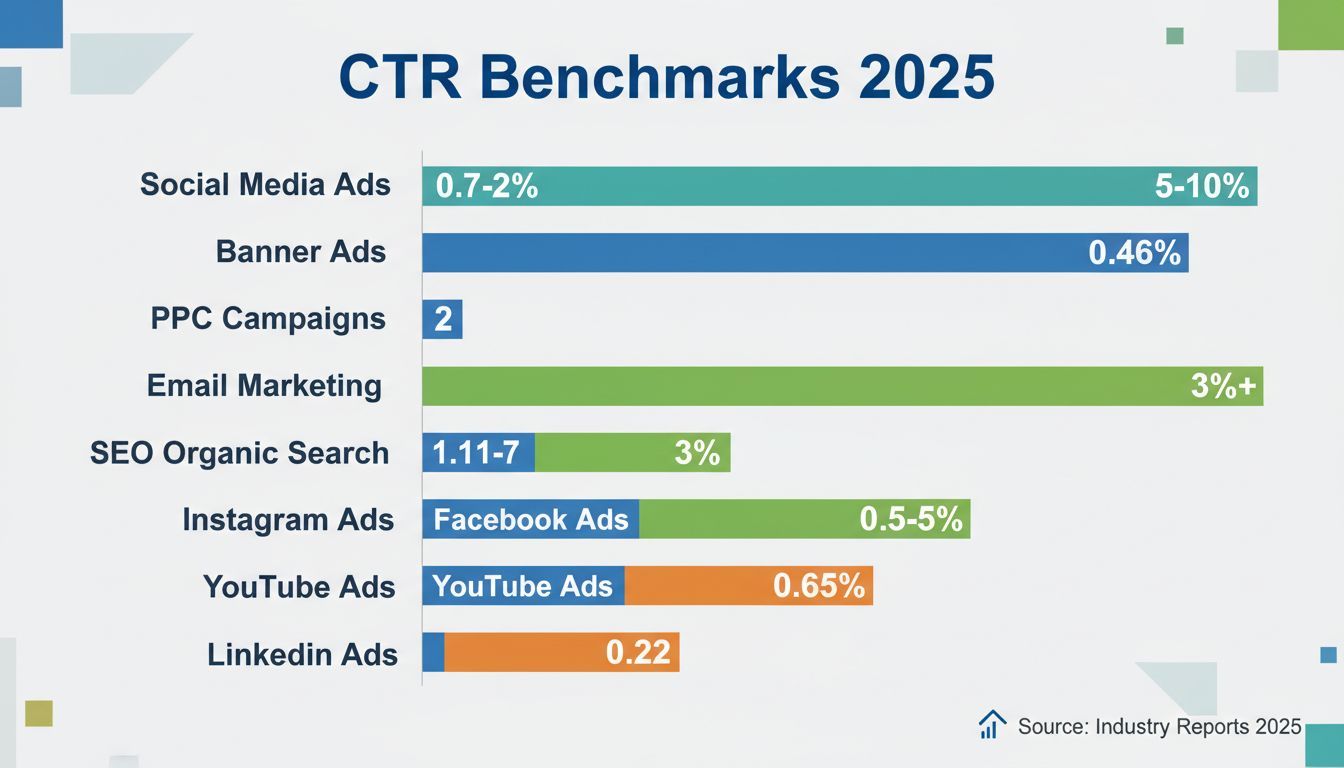
What is a Good Click Through Rate? 2025 CTR Benchmarks by Channel
Discover what constitutes a good click-through rate in 2025. Learn CTR benchmarks across social media, PPC, email, and SEO. Optimize your affiliate marketing ca...
10 min read
Click-through rate (CTR) is a digital marketing metric that measures the percentage of people who click on a specific link after seeing it.
On this page
Click-through rate (CTR) is a digital marketing metric that measures the percentage of people who click on a specific link after seeing it. It answers one question: of everyone who saw your ad, email link, or search result, how many took the next step?
CTR is used across virtually every digital channel — paid search ads, display advertising, email campaigns, social media posts, organic search listings, and even YouTube thumbnails. In each case, the metric captures the same thing: immediate engagement.
An impression is counted each time your link, ad, or listing is shown on screen. A click is counted each time a user selects it. If an ad is displayed 2,000 times and receives 60 clicks, the CTR is 3%.
CTR is not limited to one platform. It is a standard metric in:

Set up advanced tracking in minutes. No credit card required.
Calculating CTR takes two data points:
In practice, most platforms — Google Ads, Meta Ads Manager, Mailchimp, Google Search Console — calculate CTR automatically and display it in your reporting dashboard. Doing the math yourself is most useful when you are comparing data across platforms or building a custom report.
When measuring CTR, it is important to decide whether to use unique clicks (each user counted once, regardless of how many times they clicked) or total clicks (every click counted). Unique clicks give a cleaner picture of how many individual users engaged. Total clicks can be inflated by the same person clicking repeatedly. For email campaigns, most marketers use unique clicks to avoid skew from subscribers who open a message multiple times.
A retailer runs a Google Ads campaign for a seasonal sale. Over one week the ad receives:
CTR = (1,260 ÷ 42,000) × 100 = 3.0%
Platforms like Google Ads use CTR as a component of Quality Score, which directly influences your cost per click (CPC). Ads with higher CTRs tend to receive better ad positions at lower costs.
CTR also affects your effective cost per thousand impressions (CPM) and overall return on ad spend. Publishers and ad networks reward engaging creatives because they generate more revenue per pageview.
Beyond advertising, CTR serves as a real-time indicator of how well your messaging resonates. A declining CTR often reveals problems before they show up in conversion data — your audience is telling you that your headline, offer, or targeting is not working. Catching a CTR drop early lets you adjust before wasting budget.
A low CTR frequently signals a disconnect between what your audience expects and what you are showing them. Common causes include:
Be the first to know about new features and product updates.
There is no single number that defines a good CTR — it varies significantly by channel, industry, and intent.
However, YouTube’s algorithm also considers watch time and session duration, so a high CTR paired with short view durations may not translate into better distribution.
A campaign can have a high CTR and a low conversion rate — for example, an ad that promises a 90% discount but leads to a landing page offering only 10% off. People click, then bounce when the offer does not match their expectation.
Prioritize CTR when your goal is awareness, traffic, or reducing ad costs. Prioritize conversion rate when your goal is lead generation or direct sales. The two metrics are most useful when analyzed together, because a change in one often explains the other.
A high CTR that results from sensational or misleading headlines may generate traffic but damage trust and conversion rates. If your headline overpromises and your landing page underdelivers, you will see strong click numbers followed by high bounce rates and low conversions. This pattern is common in content that prioritizes clicks over value.
When CTR is high but conversions are flat or declining, investigate the connection between your ad copy and your landing page. Examine whether:
Not all clicks come from real users. Automated traffic, click fraud, and accidental taps on mobile can inflate CTR without generating any real engagement. Platforms like Google Ads automatically filter some invalid clicks, but monitoring your traffic sources for anomalies — such as a sudden CTR spike from one region or device — helps catch what automated filters miss.
Google has not confirmed organic CTR as a direct ranking factor, but multiple studies and patent filings suggest that click behavior influences search rankings indirectly. If a page consistently earns more clicks than expected for its position, it may be seen as more relevant and gain visibility over time. Conversely, a page that ranks well but receives few clicks — a pattern sometimes called “pogo-sticking” — can lose its position.
SERP features like featured snippets, knowledge panels, People Also Ask boxes, and image carousels compete directly with traditional blue links for attention. Pages that earn a featured snippet may see higher CTR, while pages ranking below rich results often see their click-through rates decline — even when they hold the same position.
AI-generated summaries — such as Google’s AI Overviews — now appear at the top of many search results, synthesizing answers from multiple sources without requiring a click. This reduces CTR for informational queries, especially those with straightforward answers. For publishers, the practical response is to target queries where depth, original research, or a unique perspective matters — content that AI summaries cannot fully replicate.
The headline is the single largest driver of CTR. Test variations that are specific, benefit-driven, and address a clear need.
A low CTR often indicates that your ad or listing is being shown to the wrong audience. In Google Ads, review your search term reports and add negative keywords to exclude irrelevant queries. On social platforms, tighten your audience targeting by layering interests, behaviors, and custom audiences. Keyword search volume matters too — targeting high-volume terms without matching intent can generate impressions but few clicks.
In display advertising and social media, the visual carries most of the weight. Ads with high-quality, relevant imagery routinely outperform text-heavy creatives by 2–3× in CTR. Pair visuals with clear, action-oriented calls-to-action. Instead of “Click Here,” use “Get Your Free Guide” or “Compare Plans Now.”
CTR optimization is not a one-time fix. Run A/B tests on:
Track results over at least one full traffic cycle before drawing conclusions.
Google Ads reports CTR at the campaign, ad group, keyword, and individual ad level. Use the “Search keywords” report to identify terms driving high impressions but low clicks, then either pause them or rewrite the corresponding ad copy. Google Analytics 4 surfaces CTR data for organic search when linked with Google Search Console, showing which pages and queries generate the most clicks relative to impressions.
For cross-channel CTR tracking, tools like SEMrush, Ahrefs, and Looker Studio consolidate data from multiple sources into unified dashboards. This is especially useful when you need to compare CTR trends across paid, organic, social, and email in one view.
Discover advanced tools and strategies to maximize your click-through rate and affiliate marketing success with Post Affiliate Pro.
Discover what constitutes a good click-through rate in 2025. Learn CTR benchmarks across social media, PPC, email, and SEO. Optimize your affiliate marketing ca...
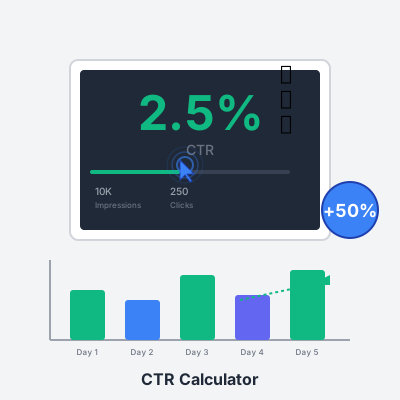
Free CTR calculator for affiliate marketers. Calculate click-through rates, find required clicks for target CTR, and compare campaign performance against indust...

proven strategies to increase email CTR with segmentation, personalization, mobile optimization, and A/B testing. Boost affiliate conversions with actionable
Join our community of happy clients and provide excellent customer support with Post Affiliate Pro.




Cookie Consent
We use cookies to enhance your browsing experience and analyze our traffic. See our privacy policy.