


Cookie Tracking in Affiliate Marketing: Complete Guide
Learn how cookie tracking works in affiliate marketing, including cookie duration, types, compliance, and best practices for accurate attribution.
12 min read
A tracking cookie is a small text file that a website or advertising network places on a user’s browser to record and follow their online behavior across multiple sites and visits.
A tracking cookie is a small text file that a website or advertising network places on a user’s browser to record and follow their online behavior across multiple sites and visits. Unlike essential cookies that keep you logged in or remember items in a shopping cart, tracking cookies are designed to build a profile of browsing habits — which pages you visit, what you click, and how long you stay — so that advertisers, analytics services, and affiliate platforms can serve personalized ads, attribute conversions, and measure campaign performance.
MDN’s cookie guide explains how servers set cookies, browsers return them, and attributes control their scope and behavior. Use these rules when troubleshooting affiliate cookies; a configured attribution window alone cannot guarantee that a browser will retain a cookie.
On this page
A tracking cookie is a small data file — typically a few hundred bytes — deposited by a web server onto a user’s device through their browser. It contains a unique identifier, a domain name, and optionally an expiration date. When the user returns to the same site or visits another site that embeds the same tracking script, the browser sends the cookie back, allowing the tracker to recognize the user and stitch together their browsing history.
The key distinction: a functional cookie keeps you logged into your email. A tracking cookie logs which products you viewed on three different online stores and reports that data back to an ad network. This distinction matters because it determines whether a cookie falls under privacy regulations requiring user consent.
| Data Point | What It Captures | Example |
|---|---|---|
| Unique user ID | A pseudonymous string tied to a browser profile | id=7a3f9c2b |
| Pages visited | URLs and page titles the user browsed | /product/running-shoes |
| Time spent | Duration on each page and overall session length | 4 min 12 sec on a product page |
| Clicks and interactions | Buttons clicked, forms submitted, items added to cart | “Add to Cart” event |
| Referral source | The site or campaign that sent the user | utm_source=newsletter |
| Device and browser info | OS, browser type, screen resolution, language | Chrome 128 on Windows 11 |
| Approximate location | Derived from IP address | City-level or region-level geolocation |
| Conversion events | Purchases, sign-ups, downloads | Order #4521, $89.99 |
Tracking cookies do not typically store names, email addresses, or payment details. They rely on pseudonymous identifiers. However, when combined with other data sources — such as a login on one site linked to an ad network profile — the data can become personally identifiable in practice.

Set up advanced tracking in minutes. No credit card required.
The mechanism that powers tracking cookies follows a repeatable four-step cycle:
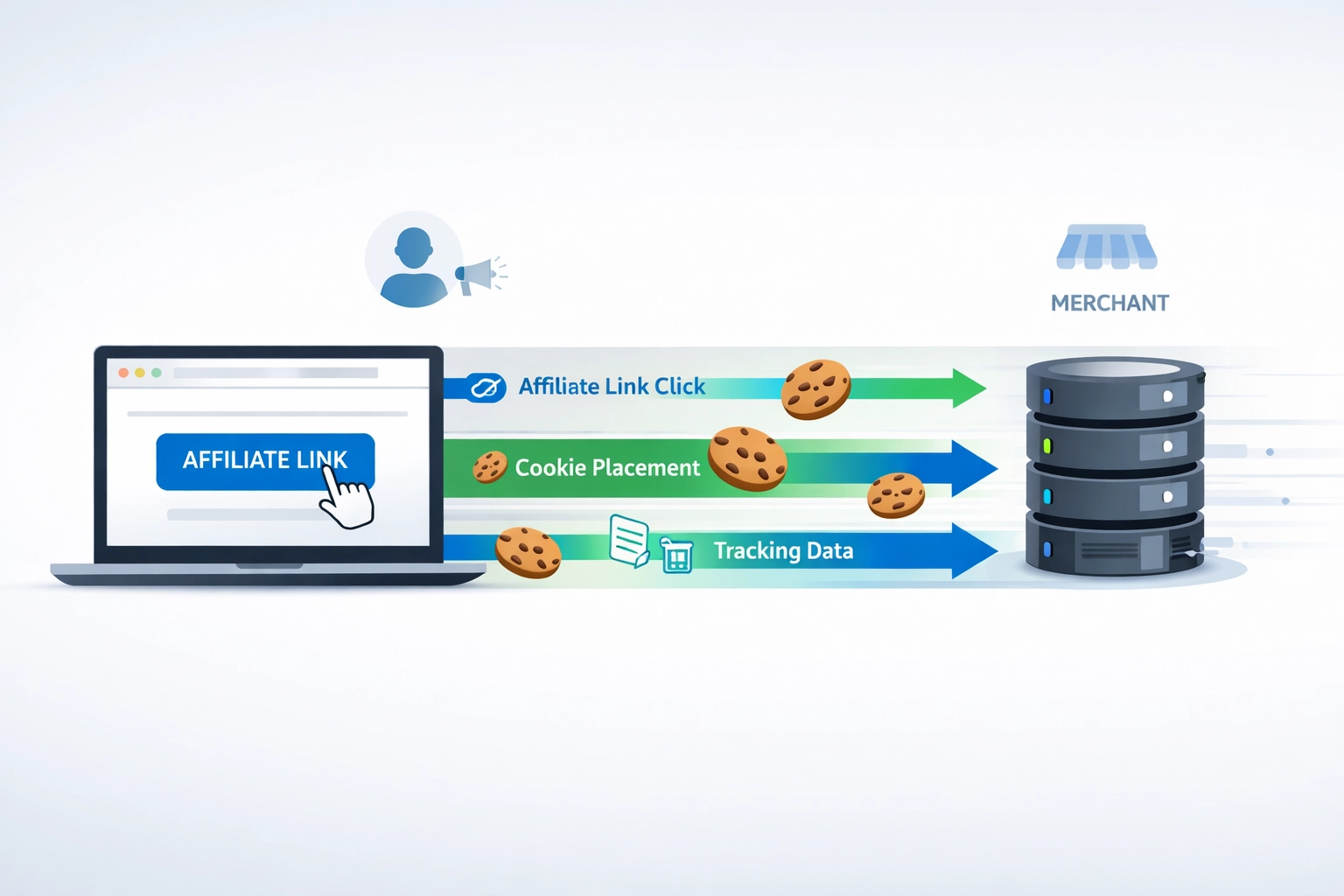
Cookie placement. A user visits a website that embeds a third-party tracking script (e.g., a Facebook pixel, Google Analytics tag, or affiliate network tracker). The external server responds with a Set-Cookie HTTP header containing a unique ID and domain scope.
Session recording. As the user browses, JavaScript events fire — page loads, scrolls, clicks, form submissions — and the tracking script logs each event against that unique ID. The data is transmitted to the tracking server, often via pixel requests or API calls.
Cross-site recognition. When the same user visits a different website that uses the same tracking provider, the browser sends the existing cookie back. The tracker now knows that the same browser visited both sites and can infer interests and intent.
Profile building and action. Over days and weeks, the tracker accumulates enough signals to classify the user — “interested in running gear,” “likely to purchase within 7 days,” “responds to discount offers.” Advertisers use these profiles to bid on ad placements in real time. Affiliate platforms use the cookie to check whether a sale originated from a publisher’s link.
You browse hiking boots on an outdoor retailer’s site. You leave without buying. Later that day, you see an ad for those same boots on a news site you visit. That ad appeared because the retailer’s retargeting partner placed a tracking cookie during your first visit, recognized you on the news site, and served a tailored ad. This entire chain depends on the tracking cookie persisting in your browser.
A third-party tracking cookie is set by a domain different from the one shown in the browser’s address bar. If you visit example-shop.com and it loads a script from ad-network.com, any cookie ad-network.com sets is third-party from your perspective.
This matters because:
Be the first to know about new features and product updates.
Affiliate marketing depends on knowing which publisher sent a customer. A customer might click a publisher’s link on Monday, browse for three days, and buy on Thursday. Without a persistent tracking cookie, the affiliate platform has no way to link Thursday’s sale to Monday’s click.
Tracking cookies are not a perfect technology, and their reliability has declined in recent years. Understanding the limitations helps program managers set realistic expectations and plan mitigation strategies.
Tracking cookies are tied to a specific browser on a specific device. If a user clicks a publisher’s link on their phone but purchases on their laptop, no cookie-based system can connect the two sessions. Cross-device attribution requires identity-based solutions such as logged-in user matching or probabilistic fingerprinting — both of which carry additional cost and complexity.
Browser extensions like uBlock Origin, Privacy Badger, and built-in privacy modes strip tracking cookies from requests. These users are invisible to cookie-based attribution.
Every user who clicks “reject” is a conversion that cannot be tracked via cookies.
Tracking cookies are not spyware, viruses, or malware. They cannot execute code, steal files, or damage a device. The concern is privacy, not security.
However, the privacy impact is real. Individual tracking cookies are pseudonymous — they identify a browser, not a person. But when aggregated across hundreds of sites over months, the profile becomes detailed enough to reveal sensitive information: health conditions inferred from medical-site visits, political leanings from news consumption, income brackets from browsing patterns. This data fuels behavioral advertising markets where user profiles are bought and sold in real-time auctions.
The General Data Protection Regulation treats tracking cookies as personal data under Article 4 and requires:
Fines for non-compliance have reached hundreds of millions of euros. In practice, this means any site serving EU visitors must run a consent management platform (CMP) that blocks tracking scripts until the user makes an active choice.
The practical effect on tracking cookies: sites must offer a “Do Not Sell or Share My Personal Information” link and honor opt-out preference signals (such as the Global Privacy Control browser setting).
| Browser | How to Block Third-Party Tracking Cookies |
|---|---|
| Chrome | Settings → Privacy and security → Third-party cookies → Block third-party cookies |
| Safari | Preferences → Privacy → Prevent cross-site tracking (enabled by default) |
| Firefox | Settings → Privacy & Security → Enhanced Tracking Protection → Strict |
| Microsoft Edge | Settings → Cookies and site permissions → Block third-party cookies |
| Brave | Shields → Block cross-site trackers (enabled by default) |
Blocking third-party cookies does not break websites. You will still be able to log in, shop, and browse normally. What changes: ads become less personalized, and some embedded content (like social-media widgets) may require an extra click to load.
Browser extensions like EditThisCookie (Chrome) or built-in privacy reports (Safari’s Privacy Report, Firefox’s Protections Dashboard) provide a more user-friendly summary of which trackers are active on each site you visit.
Blocking all cookies — including first-party functional cookies — creates noticeable friction:
Blocking only third-party tracking cookies avoids these problems while eliminating most cross-site tracking. This is the approach Safari and Firefox take by default, and it is the setting privacy advocates recommend for general use.
For affiliate program managers, note that users who block all cookies are invisible to affiliate tracking systems. These users represent a small but growing segment of traffic, which is one reason the industry is shifting toward server-side tracking and first-party data strategies.
The era of third-party cookies is ending. What replaces them?
Instead of setting cookies in the browser, server-side tracking moves data collection to the web server or a cloud function. The tracking script fires from a first-party domain (using a CNAME record or reverse proxy), so the browser treats it as a first-party request. This is legally and technically distinct from third-party cookie tracking, though it faces increasing regulatory scrutiny when used without clear disclosure.
Advertisers and affiliate platforms are building direct relationships with users — through logins, newsletters, and loyalty programs — and matching those authenticated identities against publisher referrals. This approach is more reliable than cookies because it survives browser changes, device switches, and cookie clearing.
Google’s Privacy Sandbox includes an Attribution Reporting API that allows advertisers and affiliate platforms to measure conversions without tracking individual users across sites. The browser itself performs the attribution logic and sends aggregated, anonymized reports.
Programs that rely exclusively on third-party cookie tracking will see declining attribution accuracy. Practical steps to prepare:
Tracking cookies are not disappearing overnight, but their reach is shrinking year over year. The programs that adapt their attribution stack now will have more accurate data and happier publishers in the years ahead.
Discover how cookies and alternative tracking methods can help you optimize your affiliate marketing strategies and ensure accurate commission attribution.
Learn how cookie tracking works in affiliate marketing, including cookie duration, types, compliance, and best practices for accurate attribution.

Cookie tracking is an essential feature of affiliate software that tracks visitor data and stores them on a website. Learn how Post Affiliate Pro uses cookies f...
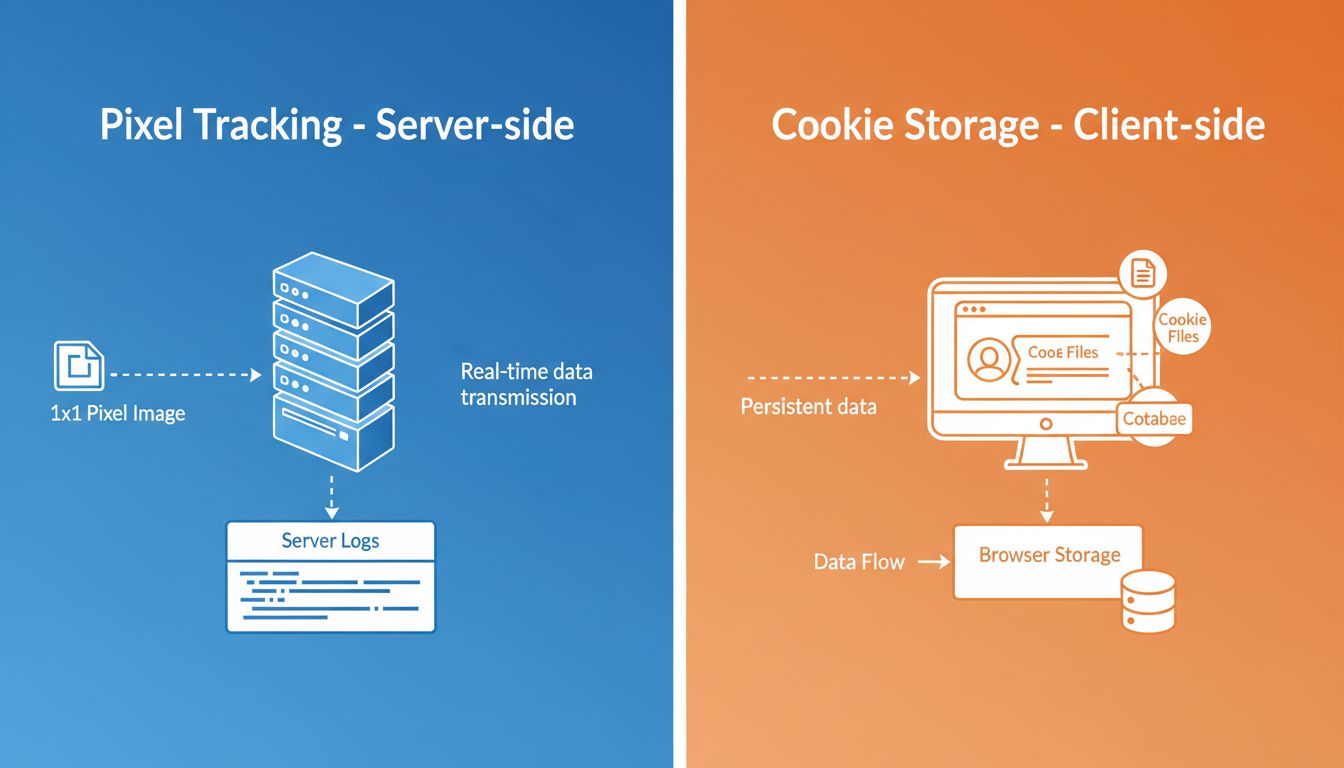
Understand the differences between pixel tracking and cookies. Learn how each technology works, their advantages, privacy implications, and which tracking metho...
Join our community of happy clients and provide excellent customer support with Post Affiliate Pro.




Cookie Consent
We use cookies to enhance your browsing experience and analyze our traffic. See our privacy policy.