


How to Open and Read XML Files
Learn multiple methods to open and read XML files including text editors, browsers, and online viewers. Discover the best tools and techniques for viewing and e...
7 min read
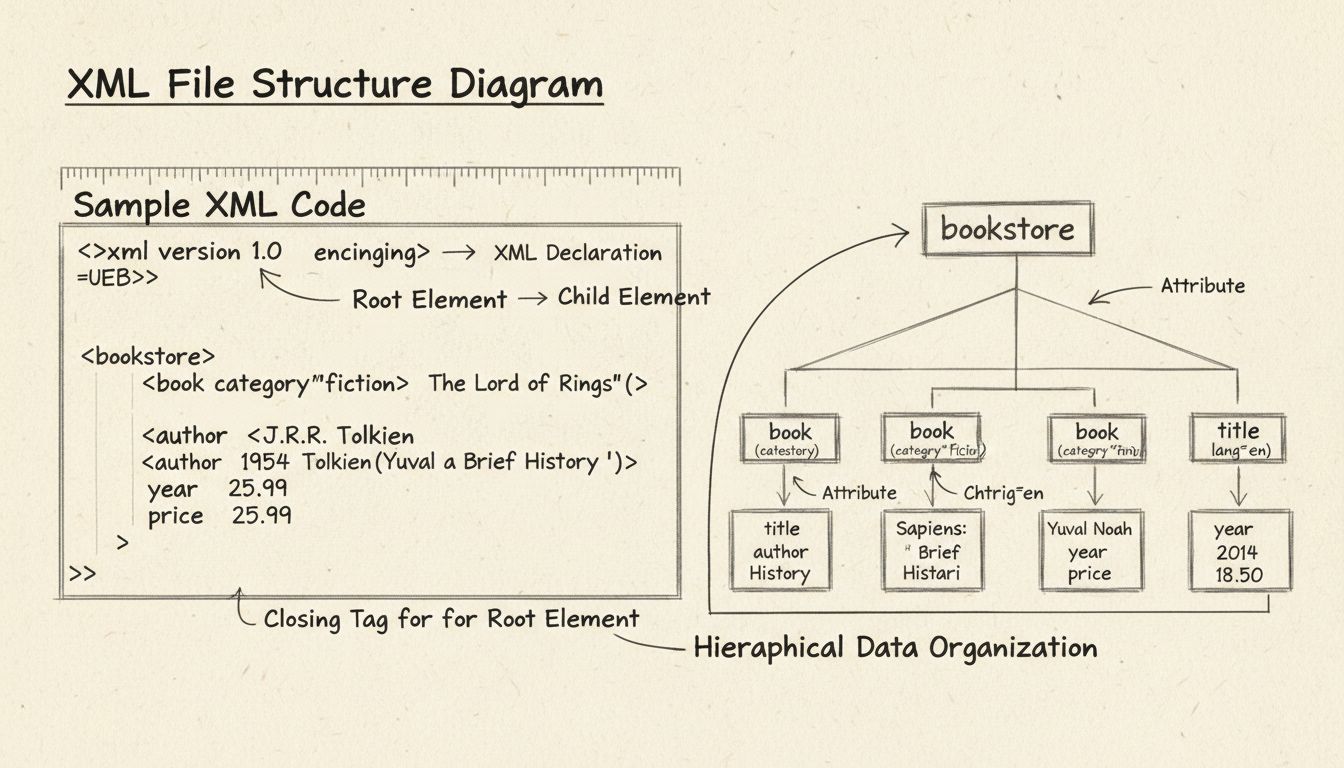
Extensible Markup Language (XML) is a text-based markup language and file format for representing, storing, and exchanging structured data across different computer systems and platforms.
On this page
Extensible Markup Language (XML) is a text-based markup language and file format for representing, storing, and exchanging structured data across different computer systems and platforms. The World Wide Web Consortium (W3C) published the XML 1.0 specification in 1998, and it has remained a foundational data-interchange standard ever since.
At its core, XML lets you define your own descriptive tags to label and organize information. Instead of using a fixed vocabulary of tags as HTML does, XML allows the document author to create elements that describe the exact meaning of each piece of data:
<?xml version="1.0" encoding="UTF-8"?>
<affiliate>
    <name>Jane Doe</name>
    <commission>12.50</commission>
    <campaign>Summer_Sale_2026</campaign>
</affiliate>
<affiliate>, <name>, <commission>, and <campaign> are custom elements the author invented to match the data’s purpose. Any computer reading this document knows exactly what each value represents without additional documentation.XML’s design goals, as stated in the W3C specification, include simplicity, generality, and usability across the internet. It derives from SGML (Standard Generalized Markup Language), the same parent standard that produced HTML, but XML strips away much of SGML’s complexity to focus purely on data representation.

Set up advanced tracking in minutes. No credit card required.
An XML file is a plain-text document that follows XML syntax rules. It carries the .xml extension and can be opened, read, and edited in any text editor or specialized XML tool. Unlike proprietary binary formats, an XML file remains readable by a human looking at its raw source — a deliberate design choice that improves long-term data accessibility.
A well-formed XML file always has:
For example, an affiliate network might exchange transaction data as an XML file containing thousands of <transaction> elements nested inside a single <transactions> root. A publisher’s import script reads the file, validates it against the network’s published schema, and processes each transaction record without manual intervention.
Here is a more complete example of an XML document representing a product feed — a common format in affiliate marketing:
<?xml version="1.0" encoding="UTF-8"?>
<product_feed>
    <product id="A102">
        <title>Wireless Headphones</title>
        <price currency="USD">79.99</price>
        <affiliate_link>https://merchant.com/track/A102?ref=partner</affiliate_link>
        <category>Electronics</category>
    </product>
    <product id="B305">
        <title>Running Shoes</title>
        <price currency="USD">120.00</price>
        <affiliate_link>https://merchant.com/track/B305?ref=partner</affiliate_link>
        <category>Footwear</category>
    </product>
</product_feed>
id, currency) add metadata without cluttering the element content. Both a human reviewer and an automated importer in affiliate tracking software can parse this structure reliably.Be the first to know about new features and product updates.
Every XML document consists of several distinct building blocks. Understanding them makes reading, writing, and debugging XML straightforward.
<?xml version="1.0" encoding="UTF-8"?> line identifies the file as XML and specifies the character encoding. It appears at the very top of the document.<element />.<price currency="USD"> uses currency as an attribute.<name>Jane Doe</name>, “Jane Doe” is the text content.<!-- -->, comments are ignored by parsers but allow authors to annotate the document for human readers.| Component | Purpose | Example |
|---|---|---|
| Declaration | Identifies the file as XML | <?xml version="1.0"?> |
| Element | Holds data in a named container | <price>79.99</price> |
| Attribute | Adds metadata to an element | <product id="A102"> |
| Text Content | The actual data value | Jane Doe |
| Comment | Human-readable notes | — |
XML syntax is the set of rules that govern how an XML document must be written to be considered well-formed. These syntax rules are strict by design — a single violation makes the entire document unreadable by a conforming XML parser. This rigidity is intentional: it prevents ambiguous data from corrupting machine-to-machine exchanges.
The core syntax rules include:
<name> requires </name>.<Name> and <name> are different elements.<a><b></b></a> is valid; <a><b></a></b> is not.id="A102", not id=A102.<, &, >, ', ") must be escaped as predefined entities (<, &, >, ', ").A document that follows all syntax rules is well-formed. A well-formed document that also conforms to a defined schema or Document Type Definition (DTD) is valid.
An XML Schema (often written as XSD — XML Schema Definition) is a document that formally defines the structure, content, and data types allowed in a specific class of XML documents. While a DTD provides basic element and attribute declarations, an XML schema goes further: it can specify data types (string, integer, date), define default values, enforce element ordering, and constrain the number of child elements.
For example, a schema for the product feed shown earlier might enforce:
<price> must contain a decimal number.id attribute on <product> must be unique within the document.<category> is optional, but <title> is required.Schemas give organizations a way to publish machine-readable contracts for data exchange. When an affiliate network shares its product-feed XML schema with publishers, both sides can validate their files before ingestion. This prevents downstream errors caused by missing fields or incorrectly formatted values.
The W3C has published two major editions of the XML specification:
| Version | Release Year | Status |
|---|---|---|
| XML 1.0 | 1998 (Fifth Edition: 2008) | The widely adopted standard; virtually all XML in use today follows 1.0. |
| XML 1.1 | 2004 (Second Edition: 2006) | Minor revision that loosened character restrictions and added support for newer Unicode versions. Rarely used. |
In practice, nearly every XML document you encounter declares version="1.0". XML 1.1 addressed edge cases around line-ending characters and Unicode character ranges but never saw broad adoption. For all practical purposes, “XML” means XML 1.0.
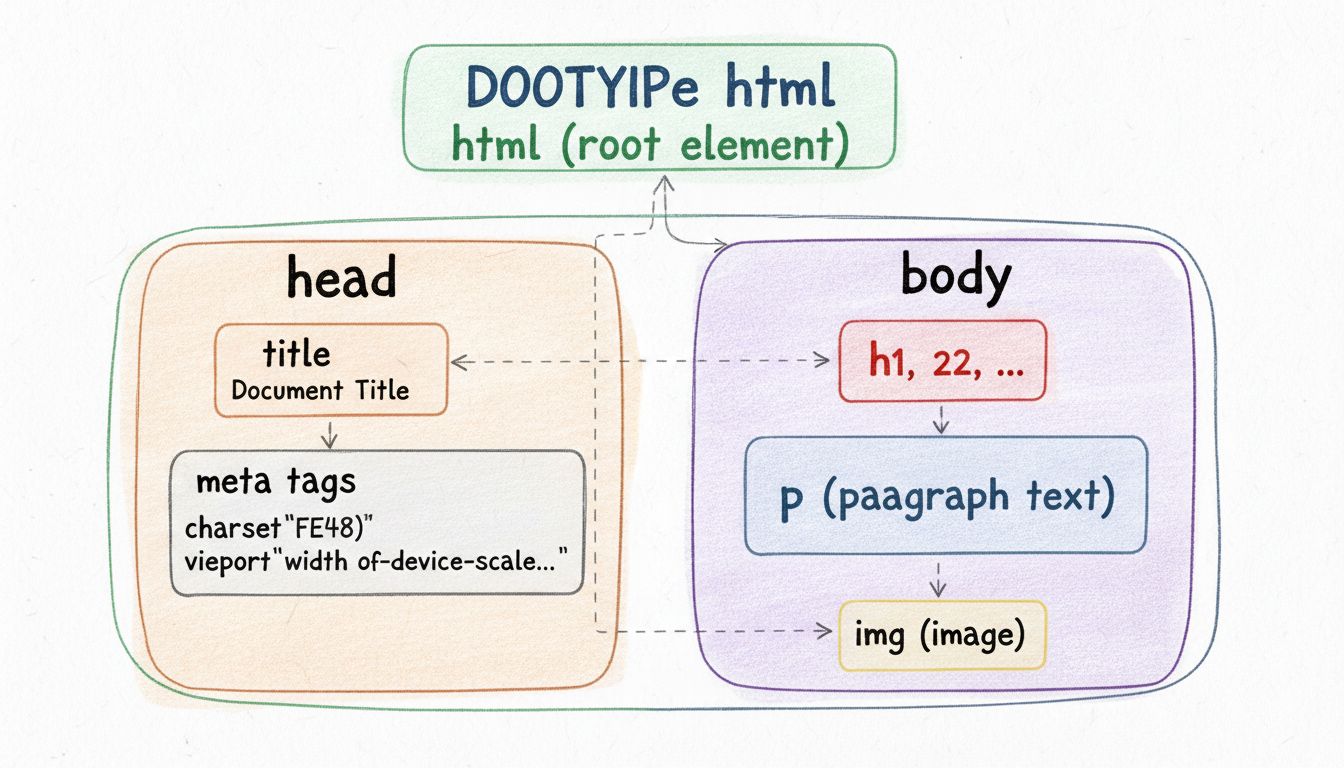
Although XML and HTML share the same parent standard (SGML) and look similar at a glance, they serve fundamentally different purposes:
| XML | HTML | |
|---|---|---|
| Purpose | Store and transport data | Display content in a web browser |
| Tags | Author-defined; unlimited | Predefined (e.g., <h1>, <p>, <a>) |
| Validation | Strict; must be well-formed | Forgiving; browsers tolerate errors |
| Focus | What data means | How data looks |
| Extensibility | Fully extensible | Fixed tag vocabulary |
In affiliate marketing, HTML delivers the publisher’s landing page to a visitor’s browser, while XML may carry the product catalog or commission report that populates it behind the scenes.
XML is not the right tool for every job. Its limitations include:
XML remains dominant where document structure, metadata, mixed content, and formal validation matter — such as financial reporting, government data, publishing, and affiliate product feeds.
XML appears in far more places than most people realize. Common application areas include:
AndroidManifest.xml and Apache Maven pom.xml are everyday examples.JSON has overtaken XML for most new public-facing REST APIs and browser-to-server communication. However, XML remains deeply embedded in:
For advertisers, publishers, and affiliate program managers, XML is not a theoretical concept — it is a working format that powers daily operations.
When an advertiser (merchant) runs an affiliate program, publishers need up-to-date product information — titles, prices, images, affiliate links, stock status. Most affiliate networks and platforms distribute this as an XML product feed. A publisher’s site imports the XML feed regularly (hourly or daily), parses it, and populates product comparison tables, price-watch widgets, or coupon listings.
Advertiser workflow: Export product catalog → generate XML feed → upload to affiliate network. The network validates the feed against its schema and rejects malformed entries before publishers see them.
Publisher workflow: Retrieve XML feed URL from affiliate platform → parse it programmatically (Python, PHP, or a WordPress plugin) → insert or update products in the site database. A well-structured XML feed with consistent id attributes lets the publisher track price changes and mark discontinued items automatically.
Affiliate program managers often export performance data as XML for integration with business-intelligence dashboards, accounting software, or custom reporting tools. An XML report might contain:
<report period="2026-10" program="Summer_Deals">
    <affiliate id="pub_2201">
        <clicks>4,512</clicks>
        <conversions>89</conversions>
        <commission_total currency="USD">2,137.40</commission_total>
    </affiliate>
</report>
commission_total field is always parsed as a monetary value, not a string.When migrating from one platform to another, program managers can extract historical transaction and affiliate data as XML, transform it through XSLT if the structure differs between systems, and import it into the new platform. XML’s self-describing nature means the mapping between old and new field names remains traceable and auditable.
Leverage XML’s flexibility in affiliate marketing with Post Affiliate Pro to boost your business’ data flow and earnings!
Learn multiple methods to open and read XML files including text editors, browsers, and online viewers. Discover the best tools and techniques for viewing and e...
HTML defines the structure of every web page. Learn what HTML is, how it works, and why it matters.
Learn what HTML is, why it's crucial for web development, and how it works with CSS and JavaScript. Discover HTML5 features, semantic elements, and best practic...
Join our community of happy clients and provide excellent customer support with Post Affiliate Pro.




Cookie Consent
We use cookies to enhance your browsing experience and analyze our traffic. See our privacy policy.