


What is HTML and Why is it Important?
Learn what HTML is, why it's crucial for web development, and how it works with CSS and JavaScript. Discover HTML5 features, semantic elements, and best practic...
12 min read
HTML defines the structure of every web page on the internet.
On this page
HTML defines the structure of every web page on the internet. When you open a website, your browser downloads an HTML file and interprets its tags to render text, images, video, links, and other content in a readable, navigable format. Without HTML, a browser would display nothing more than an unformatted wall of text.
Tim Berners-Lee, a physicist at CERN, first proposed HTML in 1989 as a way for researchers to share documents across different computers. The first formal specification appeared in 1993. Since then, HTML has evolved through several versions — but its core purpose has never changed: HTML defines what content appears on a page and how that content is organized relative to everything else.

Set up advanced tracking in minutes. No credit card required.
HTML stands for HyperText Markup Language. Each word in that acronym describes a distinct concept. Breaking them down clarifies what HTML actually does.
Hypertext is text that contains links to other documents. Rather than reading linearly from start to finish, a user can click a hyperlink and jump to a related page — on the same site or anywhere else on the web. This non-linear navigation defines the World Wide Web itself. Every affiliate link, every “click here” call-to-action, and every cross-reference between articles exists because HTML supports hypertext natively.
Markup is a system of annotations that you apply to plain text. Think of the marks an editor makes on a manuscript — “make this a heading,” “indent this paragraph,” “insert an image here.” HTML markup uses tags (enclosed in angle brackets) to tell web browsers exactly how to treat each piece of content. For example, wrapping text in <h1>...</h1> marks it as a top-level heading; wrapping it in <p>...</p> defines it as a paragraph.
In this context, “language” refers to a standardized syntax that both humans and machines can read. HTML’s language consists of roughly 110 elements, each with a defined purpose and predictable behavior. Unlike natural languages, there is no ambiguity — a <table> tag always creates a table, and a <title> tag always defines the page title shown in browser tabs and search results.
No. HTML is a markup language, not a programming language. A programming language contains logic — conditions, loops, variables, and the ability to perform calculations. HTML has none of these. It cannot add two numbers, make a decision, or remember a value. It can only describe and structure content. This distinction matters because it sets realistic expectations: HTML alone produces static pages. Any dynamic behavior — such as a countdown timer on a promotional landing page or an interactive commission calculator — requires JavaScript or a server-side language.
An HTML element typically consists of three parts: an opening tag, the content itself, and a closing tag. Consider this paragraph element:
<p>This is a paragraph of text.</p>
<p> is the opening tag. It tells the browser, “a paragraph begins here.”This is a paragraph of text. is the content.</p> is the closing tag. The forward slash signals the end of the element.Some elements are self-closing — they contain no text content between tags. The image element is a common example:
<img src="banner.jpg" alt="Affiliate promotion banner">
src attribute points to the image file, and the alt attribute provides descriptive text for screen readers and search engines.Attributes provide additional information about an element. They always appear inside the opening tag and follow a name="value" format. For instance:
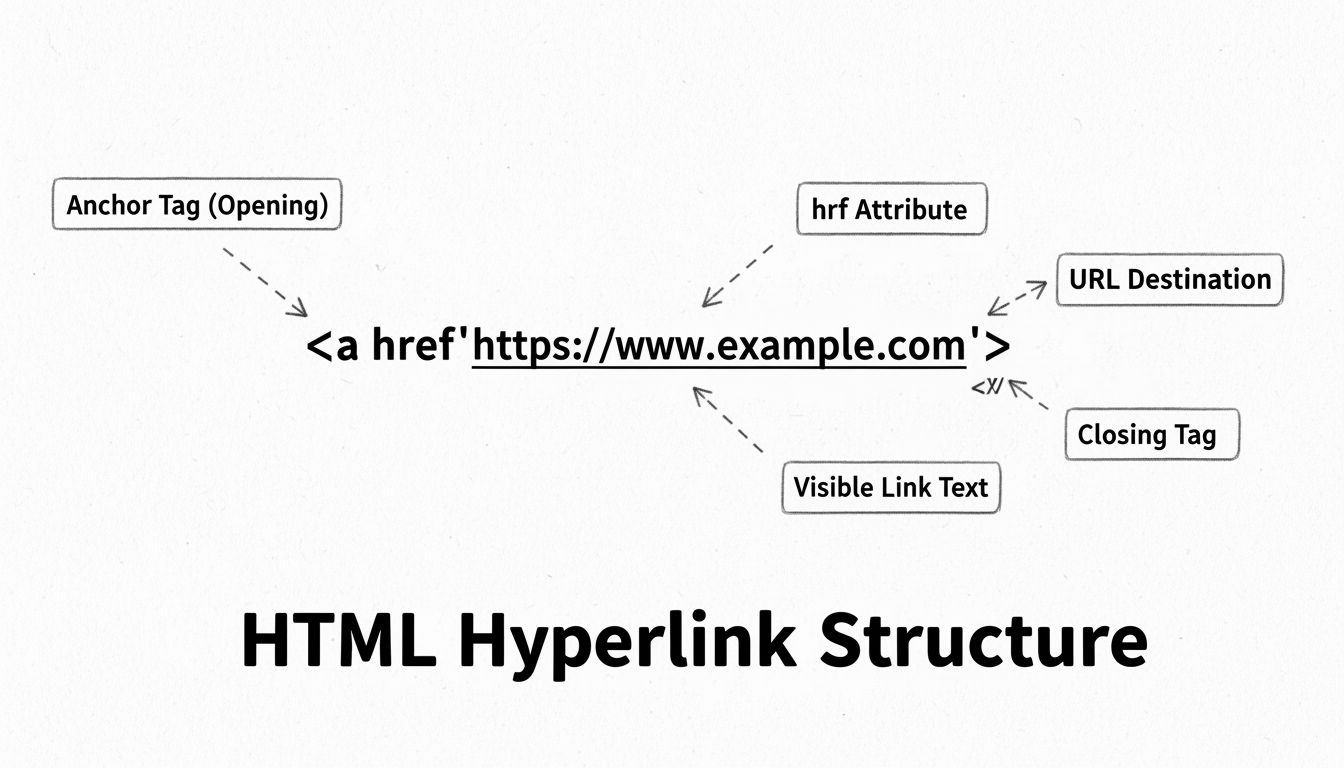
<a href="https://example.com" target="_blank" rel="noopener sponsored">Visit Example</a>
An HTML element typically consists of three parts: an opening tag, the content itself, and a closing tag. Consider this paragraph element:
<p>This is a paragraph of text.</p>
<p> is the opening tag. It tells the browser, “a paragraph begins here.”This is a paragraph of text. is the content.</p> is the closing tag. The forward slash signals the end of the element.Some elements are self-closing — they contain no text content between tags. The image element is a common example:
<img src="banner.jpg" alt="Affiliate promotion banner">
src attribute points to the image file, and the alt attribute provides descriptive text for screen readers and search engines.Search engines weight <h1> text heavily when determining page relevance.
<p> — Defines a paragraph. It creates a block of text with spacing above and below.<a> — Creates a hyperlink. The href attribute specifies the destination URL. For affiliate links, the rel="sponsored" attribute tells search engines the link is a paid placement.<img> — Embeds an image. Uses src for the file path and alt for alternative text.<ul>, <ol>, <li> — Build unordered (bulleted) and ordered (numbered) lists.<div> — A generic block-level container. Used to group sections for styling or layout.<span> — A generic inline container. Used to style a portion of text within a larger block.Attributes provide additional information about an element. They always appear inside the opening tag and follow a name="value" format. For instance:
<a href="https://example.com" target="_blank" rel="noopener sponsored">Visit Example</a>
href defines the destination, target="_blank" opens the link in a new tab, and rel="noopener sponsored" handles both security and search-engine disclosure — a best practice for any affiliate link published.Be the first to know about new features and product updates.
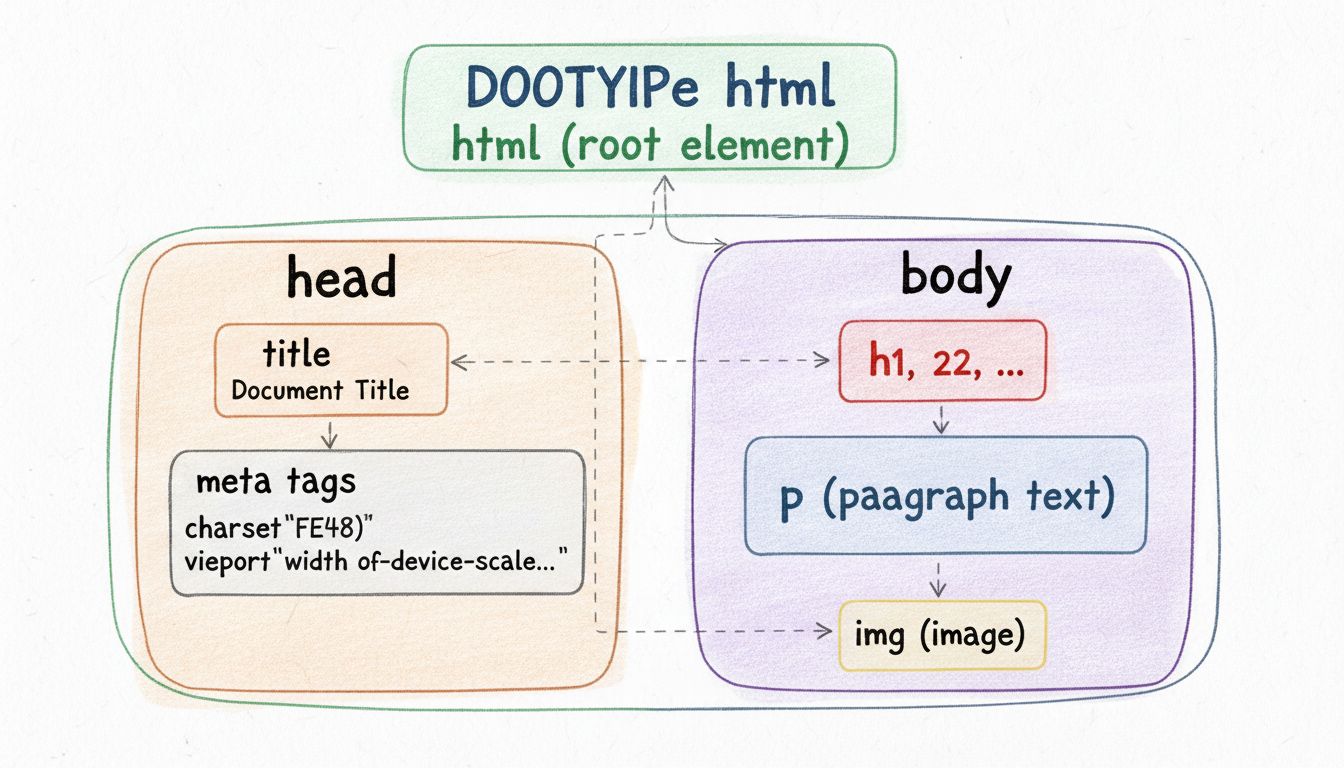
Every HTML file follows the same skeletal layout. Here is a minimal, valid HTML document:
<!DOCTYPE html> — A declaration (not a tag) that tells the browser this is an HTML5 document. It must appear on line one. Obsolete doctypes like <!DOCTYPE HTML PUBLIC "-//W3C//DTD HTML 4.01//EN"> are no longer needed.<html> — The root element that wraps all other content. The lang attribute helps screen readers and search engines.<head> — Contains metadata: the page title, character encoding, viewport settings, and links to stylesheets or scripts. Nothing in the <head> is visible on the page itself.<body> — Contains everything the user actually sees: headings, paragraphs, images, video, audio, tables, forms, and links.HTML has evolved through several major versions since 1993. The table below summarizes the key milestones:
| Version | Year | Key Features |
|---|---|---|
| HTML 1.0 | 1993 | Basic text formatting, links, and images. Limited adoption; never formally standardized. |
| HTML 2.0 | 1995 | First IETF standard. Forms, tables, and basic input elements added. |
| HTML 3.2 | 1997 | W3C standard. Applets, text flow around images, and scripting support. |
| HTML 4.01 | 1999 | Three variants (Strict, Transitional, Frameset). Separation of structure from presentation encouraged. |
| XHTML 1.0 | 2000 | HTML reformulated as XML. Stricter syntax rules; required lowercase tags and closed elements. |
| HTML5 | 2014 | Native audio, video, canvas, semantic elements (<article>, <nav>, <footer>), and offline storage. |
| HTML Living Standard | 2019–present | Continuous updates by WHATWG. No version numbers; features added incrementally. |
Obsolete practices to avoid: The <font>, <center>, <marquee>, and <frameset> tags were deprecated years ago. Use CSS for styling and layout instead. Similarly, XHTML’s draconian syntax rules (mandatory closing slashes on void elements, quoted attributes for every value) are no longer required in the living standard — though clean, well-formed markup remains a best practice.
Modern websites combine three technologies. Understanding their distinct roles prevents confusion:
| Technology | Role | Analogy | Example |
|---|---|---|---|
| HTML | Structure and content | The frame and walls of a house | <h1>, <p>, <img>, <a> |
| CSS | Presentation and styling | The paint, wallpaper, and furniture | color: blue; font-size: 18px; |
| JavaScript | Behavior and interactivity | The electrical wiring and plumbing | Form validation, pop-ups, dynamic updates |
HTML defines what content appears. CSS defines how that content looks. JavaScript defines what the content does in response to user actions. Together they form the foundation of every web page you visit — and every affiliate landing page you build.
HTML defines headings and paragraphs to give text semantic meaning. Using the <strong> and <em> tags (rather than the older <b> and <i> tags) conveys emphasis with semantic value — screen readers and search engines interpret them differently than purely visual styling.
Hyperlinks — created with the <a> tag — connect pages together and make the web navigable. Every affiliate link you place in a blog post, every navigation menu on your site, and every call-to-action button relies on the same anchor element. The href attribute defines the destination, while rel attributes control how search engines treat the relationship.
<video controls width="600">
  <source src="product-demo.mp4" type="video/mp4">
  Your browser does not support the video tag.
</video>
<img> tag handles still images. For affiliate banners, always include a descriptive alt attribute — it improves accessibility and gives search engines context about the image content.HTML tables (<table>, <tr>, <td>, <th>) display structured data in rows and columns. They remain the correct tool for comparison charts — such as pricing tiers or feature matrices — though they should not be used for page layout (a practice common before CSS Grid and Flexbox).
HTML forms (<form>, <input>, <select>, <textarea>) collect user data: email sign-ups, contact requests, and checkout fields all begin as HTML form elements. The form itself defines the structure; a server-side script or JavaScript handles processing the submitted data.
Semantic HTML uses elements that describe their meaning to both the browser and the developer. Tags like <article>, <section>, <nav>, <header>, <footer>, and <aside> replace generic <div> containers with meaningful structure. This benefits SEO because search engines can more accurately parse a page’s content hierarchy. A well-structured HTML document — with a single <h1>, logical heading nesting, and semantic sections — gives a page a measurable ranking advantage over one built entirely from <div> tags (MDN HTML Elements Reference
).
Affiliate program managers, advertisers, and publishers encounter HTML daily — often without realizing it. Understanding the basics removes friction from common workflows.
Affiliate tracking often relies on an HTML snippet: a tiny <img> tag (known as a 1×1 tracking pixel) or a <script> tag that fires when a page loads. For example:
<img src="https://tracking.example.com/pixel.gif?campaign=123&affiliate=456" width="1" height="1" alt="">
<a href="https://partner-site.com/product" rel="sponsored nofollow" target="_blank">Buy now</a>
High-converting affiliate landing pages depend on clean, well-structured HTML. The <title> tag determines what appears in search results and browser tabs. The <meta name="description"> tag often populates the snippet below the link. Heading tags (<h1>, <h2>) signal content priorities to search engines. Clear HTML structure helps browsers and assistive technologies interpret the content. It does not replace useful copy or guarantee a search position.
An HTML file is plain text saved with a .html extension. You can open it with any text editor:
None of these require paid licenses for HTML editing.
Unlock the full potential of your affiliate marketing campaigns with a solid understanding of HTML. Enhance your web pages, optimize for SEO, and improve user engagement.
Learn what HTML is, why it's crucial for web development, and how it works with CSS and JavaScript. Discover HTML5 features, semantic elements, and best practic...
Learn how to create hyperlinks in HTML with the <a> tag. Master href attributes, absolute and relative URLs, link best practices, and advanced linking technique...
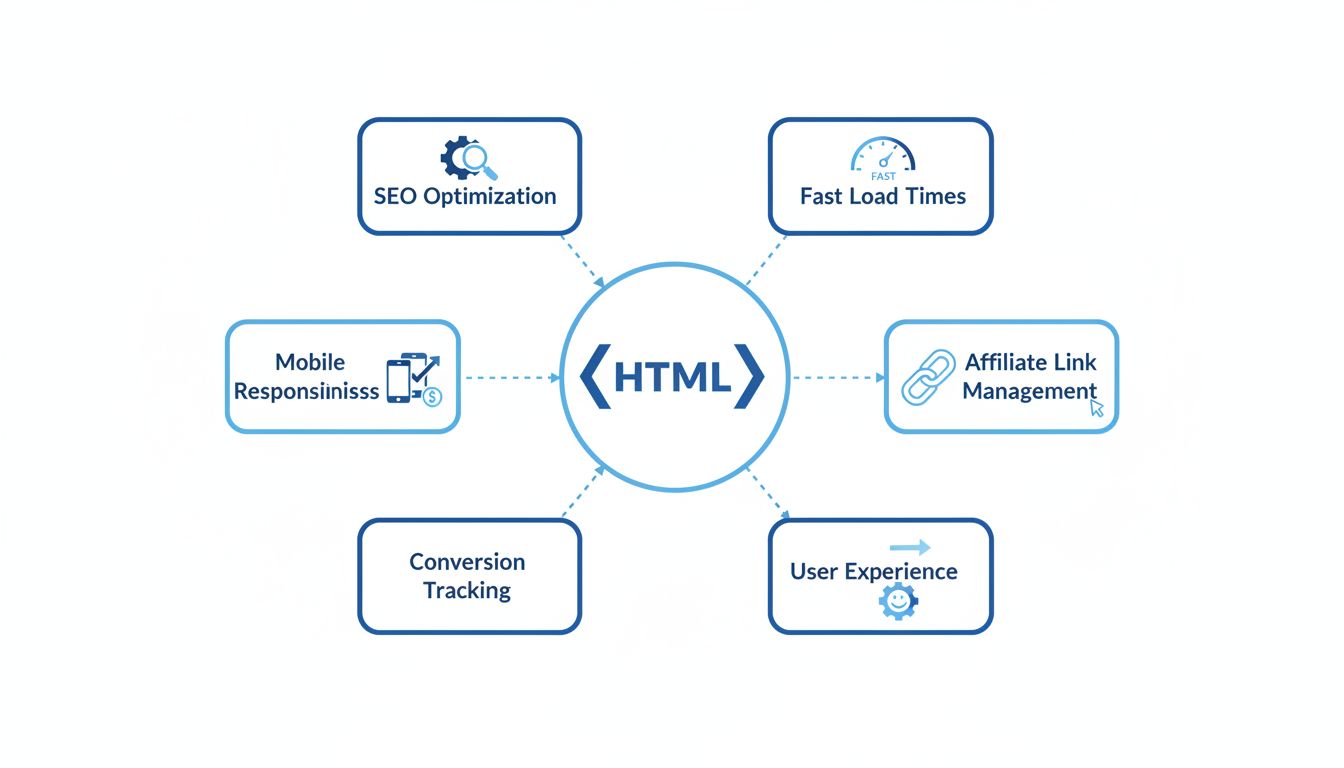
Discover how HTML empowers affiliate marketers with SEO optimization, mobile responsiveness, conversion tracking, and enhanced user experience to drive higher s...
Join our community of happy clients and provide excellent customer support with Post Affiliate Pro.




Cookie Consent
We use cookies to enhance your browsing experience and analyze our traffic. See our privacy policy.