


Homepage vs Landing Page: Key Differences Explained
Discover the critical differences between homepages and landing pages. Learn when to use each for maximum conversion rates and marketing effectiveness in 2025.
12 min read
A landing page is a standalone web page purpose-built for a single marketing or advertising campaign.
A landing page is a standalone web page purpose-built for a single marketing or advertising campaign. It is the destination a visitor reaches after clicking a link in an email, a paid search ad, a social media post, or an affiliate referral. Unlike a homepage or a general website page — which serves many audiences and offers multiple paths — a landing page strips away navigation, competing links, and secondary messages so that every element on the page drives the visitor toward exactly one desired action: filling out a form, making a purchase, registering for a webinar, or downloading a resource.
The term comes from the visitor’s experience: they “land” on this page after taking a click. The page’s job is to convert that click into a measurable outcome.
On this page
In digital marketing, a landing page is the controlled endpoint of a campaign click. That specificity is what separates a landing page from any other page on a website.
A landing page operates on a simple premise: one page, one goal. The goal might be:
Because every element on the page supports this single outcome, landing pages tend to convert at significantly higher rates than multi-purpose pages.
Visitors at the top of the funnel click a link expecting a specific offer. The landing page delivers that offer without friction. If the match between the click source and the page is tight — what marketers call message match — the visitor is far more likely to take the intended action.

Set up advanced tracking in minutes. No credit card required.
The distinction is practical, not just theoretical. A homepage introduces your entire business. It has a navigation bar, links to product pages, blog posts, about pages, and contact forms. A landing page does none of that.
| Feature | Homepage / Website Page | Landing Page |
|---|---|---|
| Primary goal | Exploration, brand introduction | Single conversion action |
| Navigation | Full menu with multiple links | Removed or minimal |
| Audience | Broad — all potential visitors | Narrow — campaign-specific |
| Message | General value proposition | Matches the ad or referral link exactly |
| Conversion measurement | Diffuse — many possible outcomes | Clear — one measurable action |
| Lifespan | Permanent | Can be campaign-timed or evergreen |
When a visitor lands on a page with a navigation bar, a footer full of links, and a blog sidebar, their attention fragments. Every additional link is a decision point — and every decision point is an exit opportunity. A landing page removes those exits. The only path forward is the call to action (CTA).
This principle is supported by years of conversion rate optimization data. The effect is strongest with cold traffic from paid ads, where visitors have no prior relationship with the brand.
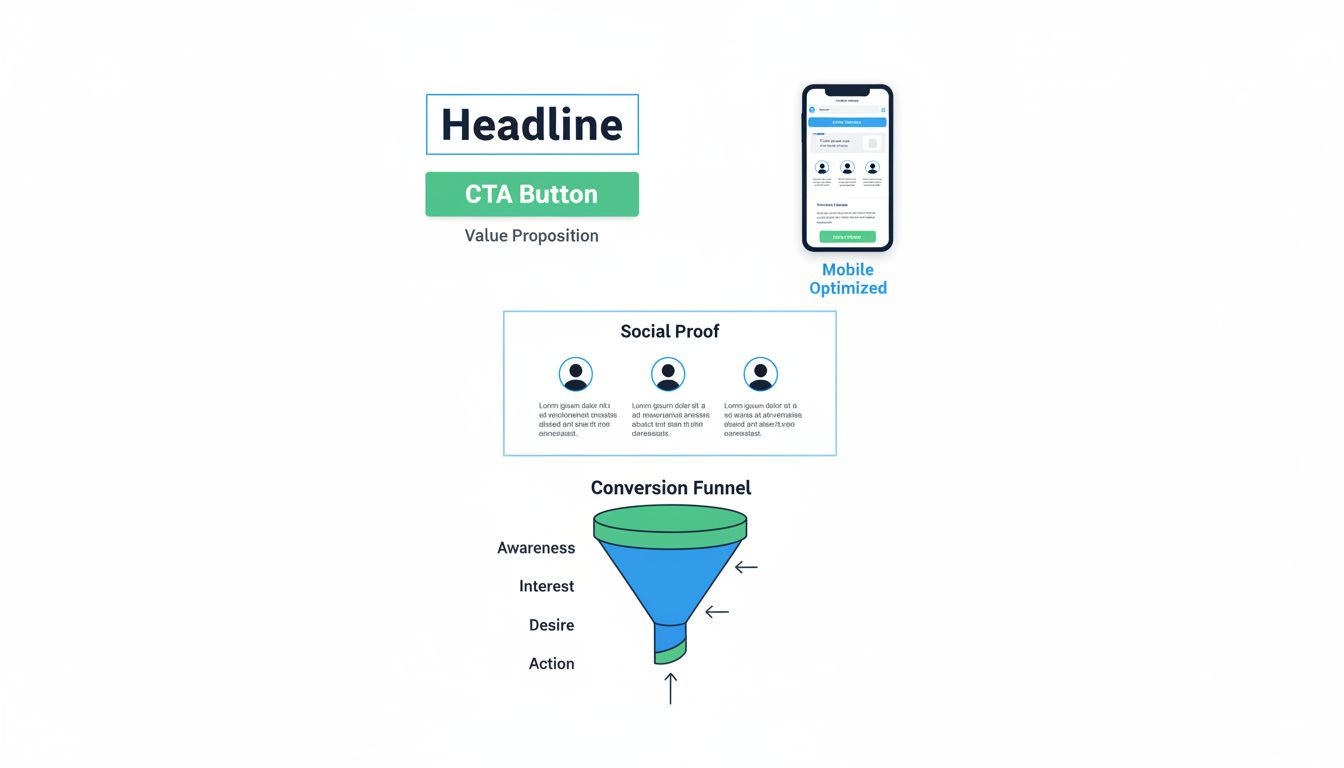
A landing page that converts consistently has a recognizable anatomy. While the creative execution varies by industry and offer type, the structural components are consistent across top-performing pages.
The headline must tell the visitor — in under 10 words — exactly what they will get. It should directly match the language of the ad or link they clicked. If the ad says “Free SEO Audit,” the headline should say “Get Your Free SEO Audit” — not “Welcome to Our Marketing Platform.”
The subheadline adds one or two sentences of clarification: who the offer is for, what problem it solves, or why it is credible. It bridges the headline’s promise and the page’s proof.
Every landing page has exactly one primary CTA. It is a button or link that initiates the conversion — “Download the Guide,” “Start Free Trial,” “Book a Demo.” The CTA uses action-oriented language and sits in a visually dominant position, often repeated once near the top and once at the bottom of the page.
For lead generation landing pages, the form is the center of the page. It collects the visitor’s contact information — typically name and email address, and sometimes phone number or company details — in exchange for the promised offer.
Form length matters. Asking for too many fields depresses the conversion rate; asking for too few fields reduces lead quality.
Testimonials, customer logos, review ratings, case study snippets, and security badges reduce visitor anxiety. A first-time visitor who sees that recognizable companies use the product is more likely to trust the offer.
Images, short explainer videos, screenshots, or diagrams serve two roles: they break up text for scannability, and they demonstrate the product or outcome. The visual should support the conversion goal, not distract from it. A hero image of the ebook cover or a 60-second product walkthrough video consistently outperforms decorative stock photography.
This is the element that ties everything together. If a visitor clicks a link that promises “30% off winter boots,” the landing page must show that exact offer immediately. Any disconnect — a different headline, a different product, a different discount — causes visitors to bounce. Google Ads and Meta Ads both factor landing page experience into ad quality scores, so message match is both a conversion and a cost-per-click lever.
Be the first to know about new features and product updates.
Landing pages fall into several categories based on the conversion action they optimize for. Choosing the right type depends on the campaign objective and where the visitor sits in the funnel.
Also called lead capture pages, these are designed to collect visitor contact information. The visitor provides their name, email, and sometimes additional details in exchange for something of value: an ebook, a whitepaper, a template, a free trial, or a consultation.
Lead generation pages are the most common landing page type in B2B marketing. They feed the top of the sales funnel and are typically followed by email nurture sequences.
Used primarily in ecommerce, click-through pages “pre-sell” a product or service before sending the visitor to a checkout or pricing page. The landing page builds desire and answers objections; the click-through button then hands off a warmed-up buyer to the transaction page.
This pattern is common for high-consideration purchases — software subscriptions, course enrollments, and premium consumer goods — where buyers need more context than a product page provides.
A sales landing page is a longer-form page that contains enough information to close the sale directly. It includes detailed product descriptions, pricing, testimonials, FAQs, and a purchase button — all on the same page. These pages often run 1,500–5,000 words and are common for digital products, online courses, and direct-to-consumer offers.
A squeeze page is an ultra-minimal lead capture page. It has a headline, a brief value statement, a form, and a CTA — often nothing else. Squeeze pages are designed for one purpose: to collect an email address quickly. They work well for high-volume, low-friction offers such as newsletter signups, discount codes, or contest entries.
A splash page appears before the main website loads — often for age verification, language selection, or a promotional announcement.
The landscape of tools ranges from drag-and-drop builders to fully custom development, and the right choice depends on budget, technical resources, and scale.
Before touching a builder, define what the page must accomplish: what action should the visitor take, and what do they receive in return? This determines every subsequent decision — layout, form fields, CTA copy, and traffic source.
Several platforms specialize in landing page creation. Each has a different pricing model and feature set:
| Builder | Starting Price (2026) | Best For |
|---|---|---|
| Unbounce | — | A/B testing, agencies, high-volume campaigns |
| Instapage | — | Enterprise teams, post-click optimization |
| HubSpot | — | Users already on HubSpot CRM |
| Mailchimp | Free (basic landing pages) | Email-integrated lead capture |
| Wix | — | Small businesses, DIY users |
| WordPress + Elementor | — | WordPress site owners |
| Carrd | — | Simple, single-page sites |
Free options exist. HubSpot and Mailchimp both offer basic landing page builders at no cost, though they include platform branding and have limits on page count and custom domains.
Structure the page in a logical flow: headline → subheadline → key benefits → social proof → form → CTA. Keep paragraphs short. Use bulleted lists where they improve scannability. Place the most important information above the fold (the visible area before scrolling).
A landing page is never finished. Run A/B tests on headlines, CTA button color and copy, form length, image choices, and page layout. Tools like Unbounce, Google Optimize (sunsetting in favor of GA4 integrations), and VWO support structured experiments.
One test at a time is the rule: change a single element, send equal traffic to both versions, and let the data declare the winner. Many teams build a page and never test it; that is the single largest missed opportunity in landing page optimization.
At minimum, install Google Analytics 4 (GA4) and a conversion tracking pixel (Google Ads, Meta, or the relevant ad network). If the page is part of an affiliate program, ensure the affiliate tracking code fires on the conversion event — whether that is a form submission, a purchase, or a click-through.
A landing page is only as valuable as the traffic it receives. The traffic source also shapes the page’s design and message, because different channels bring visitors with different intent levels.
Search ads target users actively looking for what you offer. These visitors have high intent, so the landing page can be more direct — less education, more conversion. Search engine ads also reward landing page relevance through Quality Score, which directly affects cost per click.
Social traffic is interruption-based: the user was not searching for your product. Landing pages from social ads need more context and persuasion, and they benefit from social proof elements. Video content on the landing page can help bridge the context gap, since the visitor may have come from a video ad.
Email campaigns send warm traffic — subscribers who already know the brand — to landing pages. Here the page can be shorter and more transaction-focused because trust is already established. The key is to maintain message match between the email body and the landing page headline.
Affiliate partners send referral traffic through tracked links. Because affiliates have already pre-sold or recommended the product in their own content, the landing page must close the deal efficiently. More on this workflow in the affiliate section below.
A landing page optimized for organic keywords can attract free, sustained traffic. Ranking for long-tail search terms related to the offer — “free project management template download,” for example — generates leads without ad spend. The tradeoff is that SEO takes months to build momentum, while paid traffic is immediate.
Landing pages sit at the intersection of advertisers, publishers, and affiliate program managers. Each role uses them differently, and understanding those differences is essential for anyone running or participating in an affiliate program.
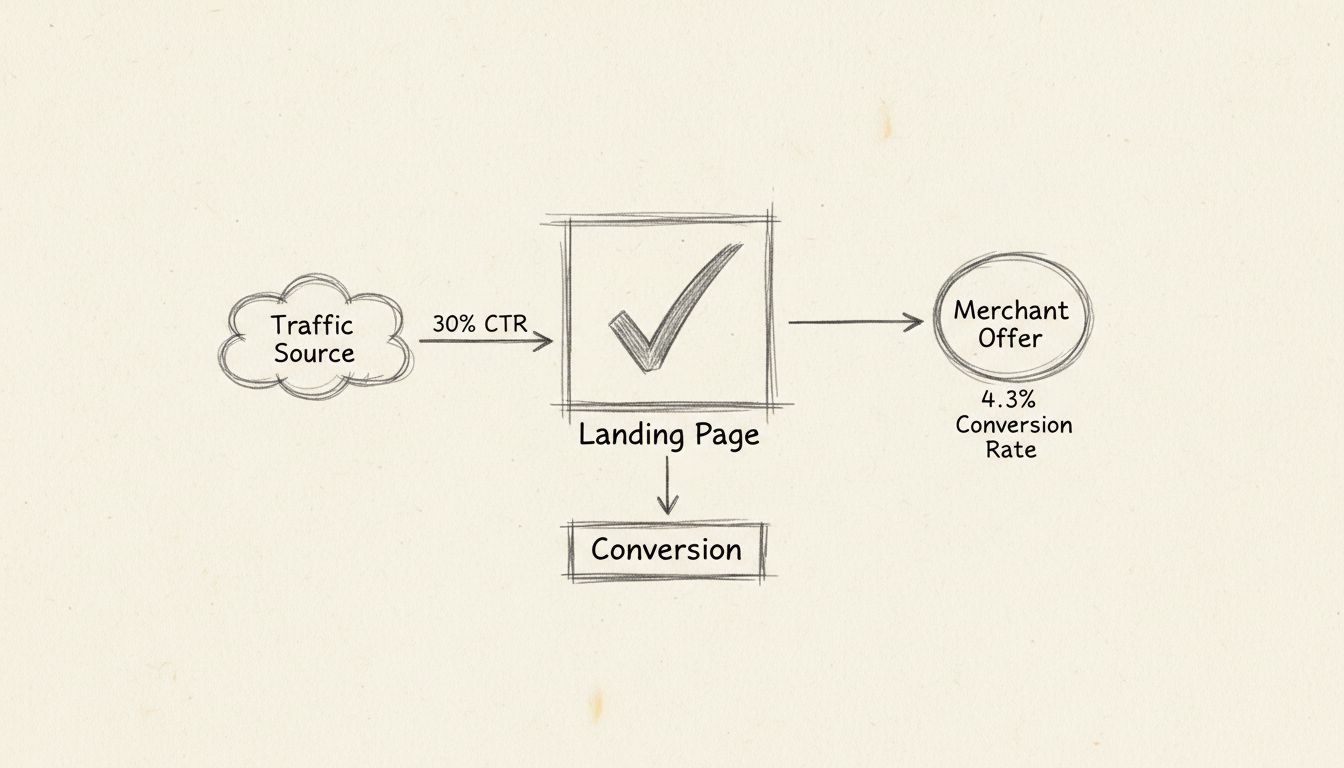
The merchant creates a landing page specifically for an affiliate offer. This page must:
The landing page is the final step in the affiliate conversion path. If it underperforms, the merchant wastes affiliate commissions on clicks that do not convert — and affiliates lose confidence in promoting the offer.
Practical example: A SaaS company runs an affiliate program for a project management tool. It creates a dedicated landing page at toolname.com/partners/ with a free trial signup form. Affiliates link to this page. When a referred visitor signs up, the affiliate network tracks the conversion via a postback URL or tracking pixel. The merchant then owes a commission.
Affiliates often create their own landing pages — sometimes called bridge pages or pre-sell pages — before sending visitors to the merchant’s offer. An affiliate landing page might:
Practical example: A content affiliate writes a comprehensive review of three email marketing tools on their blog. For each tool, the “Check Price” or “Get Started” button links not directly to the merchant’s site but to a dedicated landing page on the affiliate’s own domain. That page provides a final summary and a clear recommendation before the affiliate link redirects to the merchant. This extra step can increase conversion rates by warming the visitor further.
Limitation: Some affiliate program terms of service restrict the use of intermediary landing pages, particularly if they make claims not approved by the merchant or if they bid on branded keywords. Always check program policies.
Program managers need to monitor landing page performance across multiple affiliates and campaigns. Key metrics include:
If a landing page has high traffic but low conversions, the problem could be the page itself, the traffic quality from a specific affiliate, or a mismatch between the affiliate’s audience and the offer.
Workflow example: A program manager notices that Affiliate A sends 1,000 clicks with a 6% conversion rate, while Affiliate B sends 1,200 clicks with a 1.5% rate. Drilling into the data, they discover Affiliate B’s clicks come from a display ad network with high bounce rates. The manager can then either coach Affiliate B on traffic quality or adjust the commission structure to reward conversion rate, not just raw clicks.
Landing page costs span a wide range, from nearly free to five-figure agency builds. The right budget depends on the campaign’s expected return.
| Approach | Typical Cost (2026) | Best For |
|---|---|---|
| Free builder (HubSpot, Mailchimp, Carrd free tier) | — | Testing an idea; low-traffic campaigns |
| Low-cost builder (Carrd Pro, Wix) | — | Solopreneurs, small businesses |
| Mid-tier builder (Unbounce, Leadpages) | — | Regular campaign launches, A/B testing |
| Enterprise builder (Instapage) | — | Teams, high-volume campaigns, personalization |
| Freelance designer + copywriter | — | Custom design, one-off campaigns |
| Agency build (strategy + design + copy + testing) | — | High-stakes product launches, enterprise |
For a first landing page, a low-cost builder ($19–$200/year) paired with self-written copy is the most common starting point. As campaigns scale and conversion data accumulates, investing in copywriting and design becomes easier to justify because the ROI is measurable: if a page converts at 3% and generates $10,000/month in revenue, a $2,000 redesign that lifts the rate to 4% pays for itself in under a month.
Learn how to create high-converting landing pages to maximize your affiliate marketing results. Explore best practices, tips, and strategies.
Discover the critical differences between homepages and landing pages. Learn when to use each for maximum conversion rates and marketing effectiveness in 2025.
Discover why landing pages are essential for affiliate marketing success. Learn how they increase conversions, build trust, and generate more revenue than direc...

Master 7 landing page best practices to boost affiliate sales: compelling content, CTAs, native ads, testimonials, and optimization.
Join our community of happy clients and provide excellent customer support with Post Affiliate Pro.




Cookie Consent
We use cookies to enhance your browsing experience and analyze our traffic. See our privacy policy.