


Subdomain
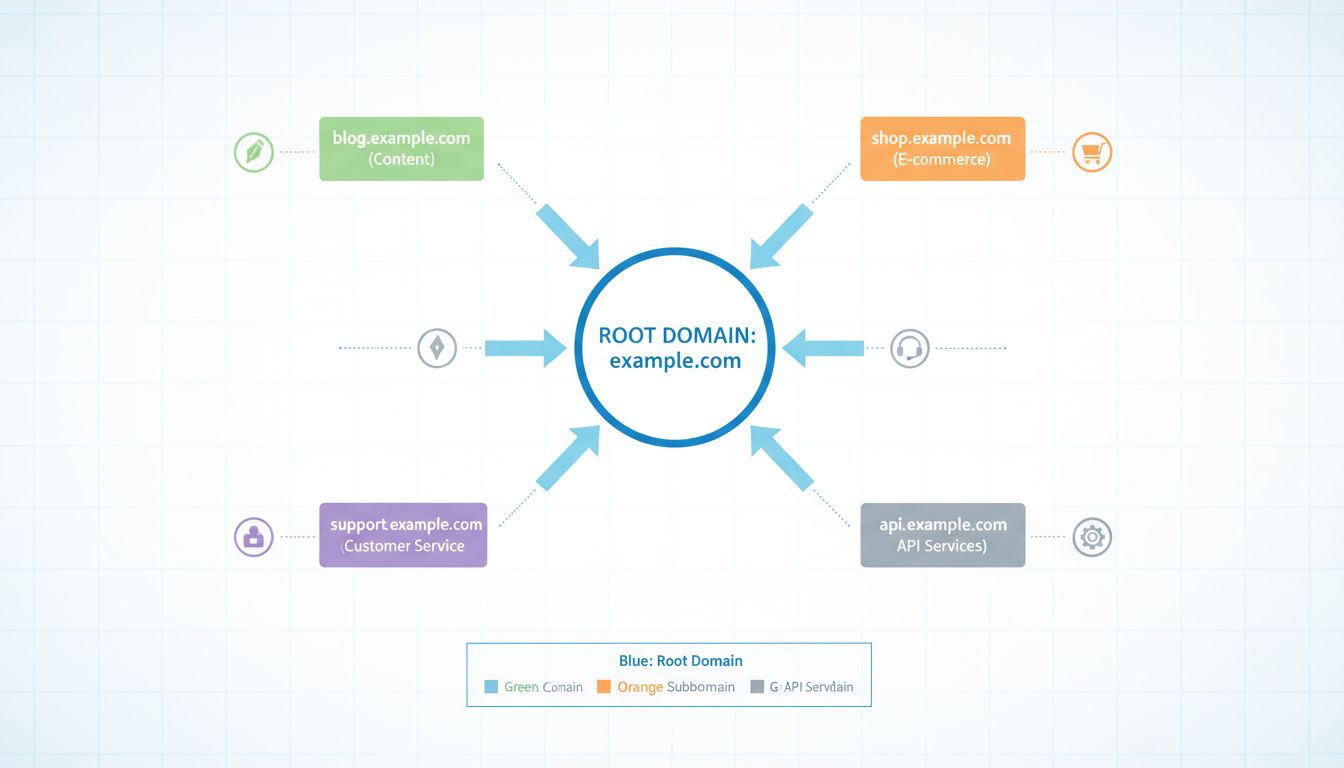
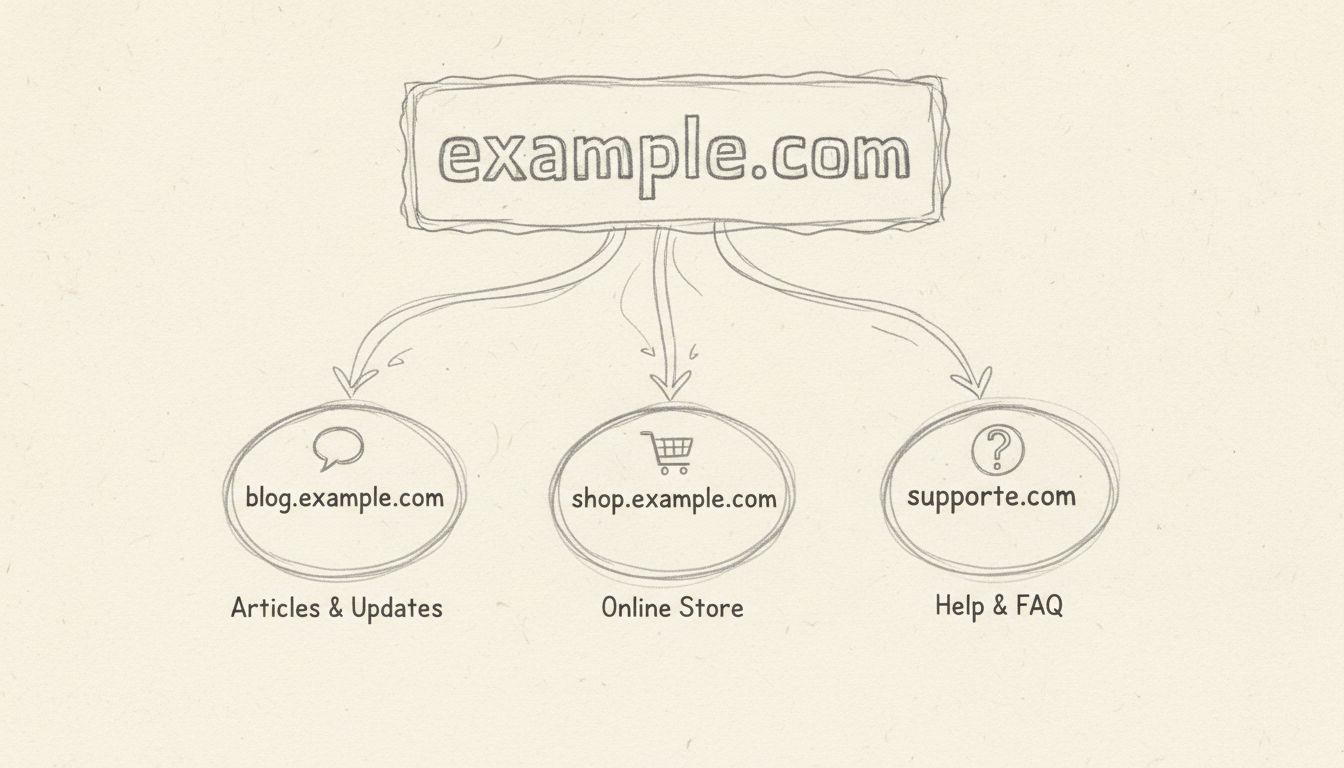
A subdomain is a prefix added to a domain name that creates a separate section of a website, such as blog.example.com.
15 min read
SEO
AffiliateMarketing
+3
A root domain is the main, registered address of a website — the part you buy from a domain registrar.
A root domain is the main, registered address of a website — the part you buy from a domain registrar. It combines a chosen name with a top-level domain (TLD) extension, and nothing sits in front of it or after it.
For example, in the URL https://www.example.com/blog/article:
example.com is the root domainwww is a subdomain/blog/article is a path (subfolder structure)The root domain is what you own. Once you register example.com, you control every subdomain and path that branches from it — blog.example.com, shop.example.com, example.com/pricing — they all belong to the same root.
When you see a domain written as www.example.com. — with that final dot — the name is absolute, or fully qualified. Without the trailing dot, it is relative. In everyday web use, that trailing dot is almost always omitted, and “root domain” defaults to the practical meaning: the apex domain you registered.
“Domain name” is the broader term. It can refer to any level of the hierarchy — a root domain (example.com), a subdomain (blog.example.com), or even a fully qualified domain name with all labels. A root domain is specifically the apex: the second-level domain plus its TLD, with no prefix.

Set up advanced tracking in minutes. No credit card required.
A subdomain is a prefix added before the root domain to create a separate section of a website. It sits at the third level (or deeper) of the DNS hierarchy. Common examples:
blog.example.com — a content sectionshop.example.com — an ecommerce storefrontsupport.example.com — a help deskpartners.example.com — an affiliate or reseller portalSubdomains are free to create once you own the root domain. You can set them up through your hosting control panel or DNS provider in minutes.
Subdomains make sense when a section of your site needs distinct functionality, branding, or hosting:
us.example.com, de.example.com with language-specific content.partners.example.com with its own analytics and cookie scope.staging.example.com for testing before going live.Avoid creating subdomains just to organize content. A subfolder (example.com/blog/) is usually the better choice for SEO, as it consolidates authority under a single domain.
The TLD is not something you can invent. TLDs are delegated by ICANN and listed in the IANA Root Zone Database. When you register a root domain, you are leasing a name under an existing TLD.
The DNS hierarchy reads from right to left:
Root (.) → TLD (.com) → Root Domain (example) → Subdomain (blog) → Path (/article)
Be the first to know about new features and product updates.
A subfolder (also called a subdirectory) is a path that follows the root domain, separated by a forward slash. Examples:
example.com/blog/example.com/shop/shoes/example.com/affiliate-program/Subfolders are purely a content organization method. They do not involve DNS changes, separate hosting, or independent SSL certificates. They are always part of the same site.
This is where the distinction carries real weight. Google has stated that it generally treats subdomains and subfolders as part of the same site, but in practice, subdomains can be treated as separate entities — inheriting their own ranking signals, crawl budget, and authority metrics independently from the root domain.
Subfolders, by contrast, always share the root domain’s authority. A backlink to example.com/blog/article strengthens example.com as a whole. A backlink to blog.example.com/article may not pass full weight to example.com.
| Scenario | Recommendation |
|---|---|
| Company blog | Subfolder: example.com/blog/ |
| Help center / knowledge base | Subfolder or subdomain — either works; subfolder preferred for SEO |
| Ecommerce store on a different platform | Subdomain: shop.example.com |
| Regional site in another language | Subdomain: de.example.com |
| Affiliate partner portal | Subdomain: partners.example.com |
| Staging / development | Subdomain: staging.example.com |
A root domain is the main, registered address of a website — the part you buy from a domain registrar. It combines a chosen name with a top-level domain (TLD) extension, and nothing sits in front of it or after it.
For example, in the URL https://www.example.com/blog/article:
example.com is the root domainwww is a subdomain/blog/article is a path (subfolder structure)The root domain is what you own. Once you register example.com, you control every subdomain and path that branches from it — blog.example.com, shop.example.com, example.com/pricing — they all belong to the same root.
In the Domain Name System (DNS), the term “root domain” has a second, stricter meaning: it refers to the highest level of the entire DNS hierarchy, denoted by a single trailing dot (.). This is the “root zone,” served by root name servers distributed across the world and managed under ICANN’s authority.
When you see a domain written as www.example.com. — with that final dot — the name is absolute, or fully qualified. Without the trailing dot, it is relative. In everyday web use, that trailing dot is almost always omitted, and “root domain” defaults to the practical meaning: the apex domain you registered.
“Domain name” is the broader term. It can refer to any level of the hierarchy — a root domain (example.com), a subdomain (blog.example.com), or even a fully qualified domain name with all labels. A root domain is specifically the apex: the second-level domain plus its TLD, with no prefix.
A subdomain is a prefix added before the root domain to create a separate section of a website. It sits at the third level (or deeper) of the DNS hierarchy. Common examples:
blog.example.com — a content sectionshop.example.com — an ecommerce storefrontsupport.example.com — a help deskpartners.example.com — an affiliate or reseller portalSubdomains are free to create once you own the root domain. You can set them up through your hosting control panel or DNS provider in minutes.
| Feature | Root Domain | Subdomain |
|---|---|---|
| Ownership | Purchased from a registrar | Created freely under a root domain you own |
| DNS Records | Own A, MX, TXT records | Separate DNS records, independently configurable |
| SEO Treatment | The primary entity | Google may treat as part of the same site or separately |
| Backlink Aggregation | All subdomain links typically count toward the root | Links may or may not pass full authority to the root |
| Cookie Scope | Cookies set at root can cover subdomains | Subdomain cookies can be isolated |
| Example | example.com | blog.example.com |
Subdomains make sense when a section of your site needs distinct functionality, branding, or hosting:
us.example.com, de.example.com with language-specific content.partners.example.com with its own analytics and cookie scope.staging.example.com for testing before going live.Avoid creating subdomains just to organize content. A subfolder (example.com/blog/) is usually the better choice for SEO, as it consolidates authority under a single domain.
The top-level domain is the suffix at the end of a domain name — the part after the final dot in the root domain. Common TLDs include:
.com, .org, .net, .info.us, .uk, .de, .jpThe TLD is not something you can invent. TLDs are delegated by ICANN and listed in the IANA Root Zone Database. When you register a root domain, you are leasing a name under an existing TLD.
The DNS hierarchy reads from right to left:
Root (.) → TLD (.com) → Root Domain (example) → Subdomain (blog) → Path (/article)
Alternative TLDs like .blog or .io can work for niche brands, but they typically underperform .com in direct-type traffic and perceived credibility.
A subfolder (also called a subdirectory) is a path that follows the root domain, separated by a forward slash. Examples:
example.com/blog/example.com/shop/shoes/example.com/affiliate-program/Subfolders are purely a content organization method. They do not involve DNS changes, separate hosting, or independent SSL certificates. They are always part of the same site.
This is where the distinction carries real weight. Google has stated that it generally treats subdomains and subfolders as part of the same site, but in practice, subdomains can be treated as separate entities — inheriting their own ranking signals, crawl budget, and authority metrics independently from the root domain.
Subfolders, by contrast, always share the root domain’s authority. A backlink to example.com/blog/article strengthens example.com as a whole. A backlink to blog.example.com/article may not pass full weight to example.com.
| Scenario | Recommendation |
|---|---|
| Company blog | Subfolder: example.com/blog/ |
| Help center / knowledge base | Subfolder or subdomain — either works; subfolder preferred for SEO |
| Ecommerce store on a different platform | Subdomain: shop.example.com |
| Regional site in another language | Subdomain: de.example.com |
| Affiliate partner portal | Subdomain: partners.example.com |
| Staging / development | Subdomain: staging.example.com |
Every major SEO tool — Ahrefs, Moz, Semrush, Zutrix — aggregates link metrics at the root domain level. When a tool reports “Domain Authority” or “Domain Rating,” it is scoring the root domain, not a subdomain or individual page. A link to any page on example.com (whether it is www.example.com/page, blog.example.com/post, or example.com) counts as a backlink to the root domain example.com.
This is why the root domain is the fundamental unit of off-page SEO. When you check a competitor’s backlink profile, you are checking their root domain.
A referring domain is a unique root domain that links to yours. If seonews.com links to your site 50 times across 50 pages, that counts as one referring domain but 50 backlinks. SEO tools use referring domains as a measure of link diversity — and diversity at the root domain level correlates strongly with higher rankings.
You can check backlinks to any root domain using:
These tools all work the same way: you input the root domain (competitor.com, not www.competitor.com or competitor.com/blog), and they return metrics aggregated across all subdomains and pages.
The root domain is not just an SEO concept — it directly affects how affiliate programs track, attribute, and report on performance.
Affiliate tracking relies on cookies, and cookie scope is tied to the domain. A cookie set on example.com can be read by blog.example.com if configured correctly. A cookie set on a completely different root domain — say an advertiser’s brand.com vs a publisher’s reviewsite.com — cannot, due to browser same-origin policy.
This matters for:
publisher.com redirects through an affiliate network to advertiser.com, the tracking pixel or postback URL must bridge the gap — cookies alone cannot.If you run an affiliate program for your product, your root domain is where conversions happen. Key considerations:
brandpartners.com) for their affiliate portal. This creates a clean separation but means the portal builds its own domain authority from scratch.partners.brand.com keeps everything under the main root domain, sharing its authority and simplifying SSL management.If you publish affiliate content — reviews, comparisons, roundups — your root domain is your most valuable SEO asset:
yoursite.com/reviews/, not reviews.yoursite.com.When managing an affiliate program, root-domain-level reporting reveals patterns that page-level data obscures:
.com names are taken. Be prepared to try variations or consider alternative TLDs.After registration, point the root domain to your hosting:
example.com) to your server’s IP address.www subdomain to point it to the root.DNS changes do not take effect instantly. Plan for the full window when coordinating a site launch.
example.com and *.example.com (wildcard) if you use subdomains.| Type | Definition | Example | Who Controls It |
|---|---|---|---|
| Root (DNS) | The highest level of the DNS hierarchy | . (trailing dot) | ICANN / root server operators |
| Top-Level Domain (TLD) | The suffix after the final dot | .com, .org, .uk | Registry operators (delegated by ICANN) |
| Root Domain | The registered name + TLD | example.com | Domain registrant (you) |
| Second-Level Domain | The name part of a root domain | example in example.com | Domain registrant |
| Subdomain | A prefix before the root domain | blog.example.com | Root domain owner |
| Subfolder | A path after the root domain | example.com/blog/ | Site owner (content structure) |
| Parked Domain | A registered domain not in active use | mybackup.com → redirects to main site | Domain registrant |
| Addon Domain | A separate root domain hosted on the same account | myothersite.com on same hosting plan | Hosting account owner |
Optimize your affiliate marketing efforts by understanding and setting up your root domain effectively. Explore tools and strategies to boost your online presence.
A subdomain is a prefix added to a domain name that creates a separate section of a website, such as blog.example.com.
Learn what a subdomain example is with detailed explanations. Discover how subdomains like blog.example.com work, their uses, and best practices for your websit...
Learn whether a subdomain is a separate website. Discover how subdomains work, their relationship to main domains, and when to use them for your affiliate marke...
Join our community of happy clients and provide excellent customer support with Post Affiliate Pro.




Cookie Consent
We use cookies to enhance your browsing experience and analyze our traffic. See our privacy policy.