


What is an Example of a Search Term? Complete Guide to Search Queries
Learn what search terms are with real examples. Understand single-word searches, long-tail keywords, and how search queries impact SEO and affiliate marketing s...
8 min read
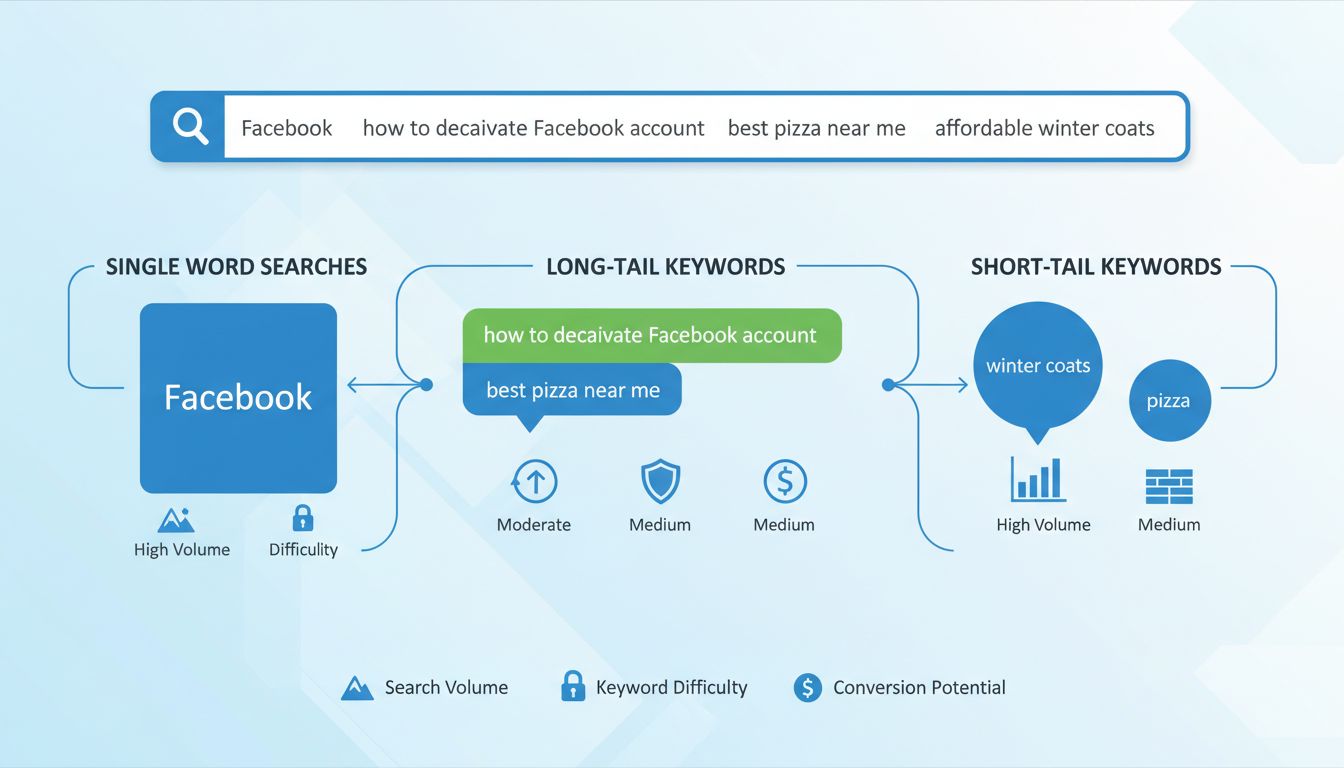
A search term is the exact word or phrase a user types — or speaks — into a search engine like Google, Bing, or a website’s internal search bar.
A search term is the exact word or phrase a user types — or speaks — into a search engine like Google, Bing, or a website’s internal search bar. It is the raw, unfiltered input that represents what someone actually wants to find at that moment. In digital marketing, the same concept is also called a search query. Search terms can be single words (“shoes”), multi-word phrases (“best running shoes for flat feet”), or complete questions (“how do I train my puppy?”). They can include spelling mistakes, unusual word order, or voice-search phrasing — and a search engine still attempts to return relevant results.
The distinction between search terms and keywords is one of the most frequently misunderstood concepts in search marketing, yet it affects everything from ad spend to organic rankings.
| Aspect | Search Term | Keyword |
|---|---|---|
| Who controls it? | The user | The marketer or advertiser |
| Where does it appear? | In the search engine’s search bar | In campaign settings, content briefs, and bidding tools |
| Can it contain errors? | Yes — typos, voice-search phrasing, odd word order | No — keywords are deliberately chosen and correctly spelled |
| Purpose | To find information, products, or services | To match ads or content to relevant user queries |
| Example | “affilate programm for beginers” | “affiliate program for beginners” |
That is the search term. An advertiser running a PPC campaign may have bid on the keyword “unlimited data plans,” and Google’s match type system determines whether the ad appears for that query. In many cases, the search term and keyword are identical. But when they differ — and they often do — understanding the gap is what separates efficient campaigns from wasteful ones.
In Google Ads, three match types control how closely a keyword must align with a user’s search term before triggering an ad:

Set up advanced tracking in minutes. No credit card required.
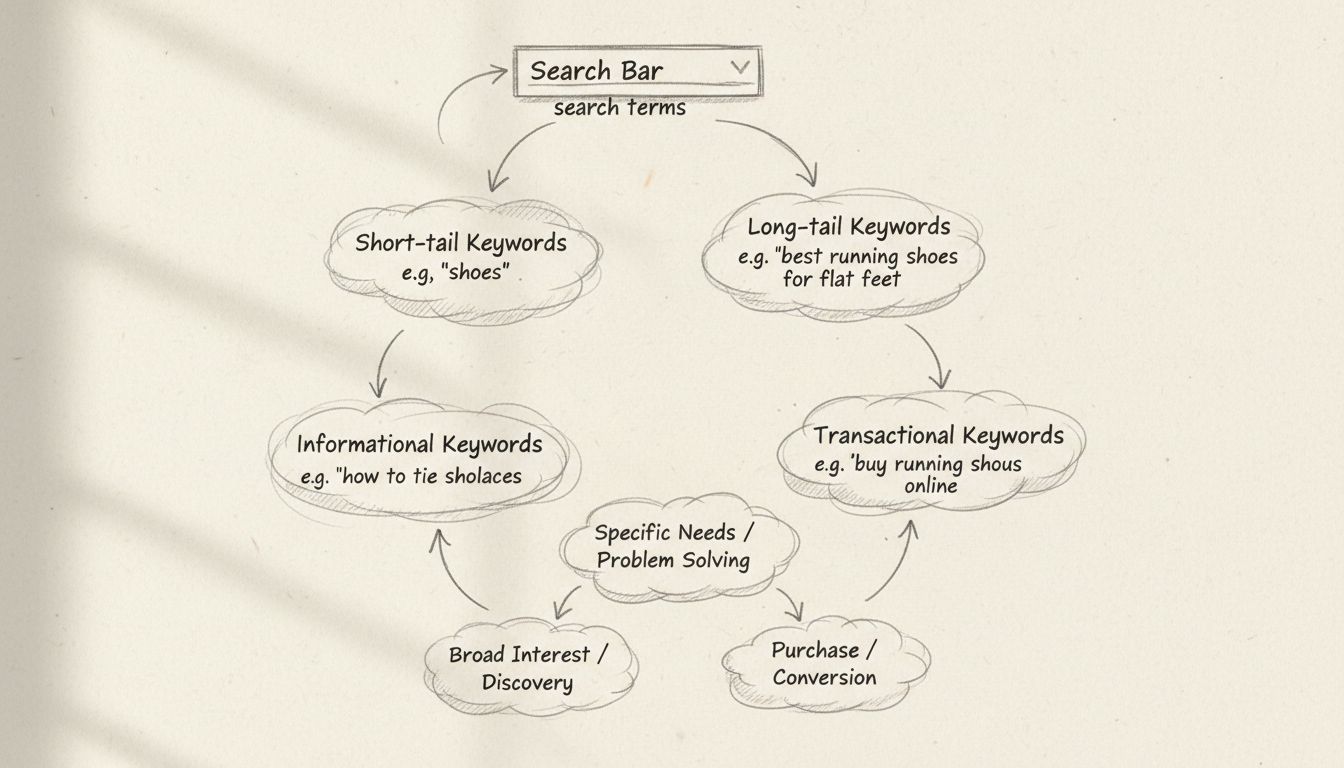
Search terms fall into recognizable patterns, and understanding these patterns helps marketers allocate budget and content resources effectively.
Search intent is the reason behind the query. Google’s own Search Quality Evaluator Guidelines recognize four primary categories:
Search engines rank pages based on relevance to the query. When you understand the exact search terms people use to find content in your niche, you can:
Search terms also reveal how language evolves.
Be the first to know about new features and product updates.
In paid search, search terms are the raw data that determines whether your budget is being spent on qualified clicks or wasted on irrelevant traffic. Every time your ad appears, it is because Google matched one of your keywords to a user’s search term. Reviewing that data is not optional — it is the primary feedback loop for campaign optimization.
The search terms report in Google Ads shows you the exact queries that triggered your ads, along with performance metrics: impressions, clicks, click-through rate (CTR), cost, and conversions. This report lives under the “Insights and reports” section of the Google Ads interface, and it is available for Search, Shopping, and Performance Max campaigns.
What to look for in the report:
A negative keyword tells Google not to show your ad when a search term contains that word. This is how you “get rid of” unwanted search terms from your campaign. Common negative keywords for software advertisers include:
Adding negative keywords reduces wasted spend, improves CTR, and raises your Quality Score — which in turn lowers your cost per click. Review the search terms report at least once every two weeks and add new negatives based on real query data.
Finding the search terms your audience uses does not require guesswork. Several free and paid tools provide direct access to this data.
Google Search Console shows the actual search terms for which your site appears in organic results, along with clicks, impressions, CTR, and average position. This is real performance data, not projections. Filter by pages that rank between positions 4 and 15 — these are the ones where small improvements can produce the largest ranking gains.
As described above, this report reveals the paid-search queries triggering your ads. Export the data and sort by cost or conversions to prioritize which terms deserve new keyword status or negative-keyword exclusion.
Google Keyword Planner provides search volume estimates and competition levels for any term. It is most useful for discovering related terms you may not have considered. Enter a seed keyword like “affiliate software” and review the expanded list for long-tail variations with moderate volume and low competition.
Tools like Semrush, Ahrefs, and Moz offer keyword databases that include search volume, keyword difficulty scores, and competitor gap analysis. A common workflow: enter a competitor’s domain, view the search terms they rank for, and filter for those where your site does not yet have a page. This reveals content opportunities directly.
Some SEO plugins, including Yoast SEO, use the term focus keyphrase to describe the primary keyword a page is optimized for. The focus keyphrase is the marketer’s target; the search term is the user’s actual query.
If your page targeting “affiliate software” is a product landing page, it will satisfy transactional intent but frustrate informational searchers, who will bounce. If it is a blog post, the reverse is true. Aligning page type with the dominant intent behind the target search term is one of the highest-impact SEO decisions you can make.
Search terms play a distinct role at each level of the affiliate marketing ecosystem.
These are warm recruitment targets.
A review or comparison post targeting this term can convert at 3–5% or higher when paired with the right affiliate offer.
Search Console partially fills this gap but does not provide session-level data.
Learn how to identify and optimize search terms to boost your website's visibility, traffic, and conversion rates in affiliate marketing.
Learn what search terms are with real examples. Understand single-word searches, long-tail keywords, and how search queries impact SEO and affiliate marketing s...
Discover why search terms are essential for finding information online. Learn how search terms work, their importance for SEO and PPC, and how to use them effec...
What is a keyword in SEO? Learn the definition, types, and how to use keywords to rank higher and drive organic traffic.
Join our community of happy clients and provide excellent customer support with Post Affiliate Pro.




Cookie Consent
We use cookies to enhance your browsing experience and analyze our traffic. See our privacy policy.