


What are SmartLinks? Complete Guide to Dynamic URL Redirection
Learn what SmartLinks are and how they revolutionize affiliate marketing with multiple destination URLs, dynamic targeting, and advanced analytics for better co...
10 min read
A smartlink is a single URL that routes visitors to different destinations according to configured rules, such as location, device, operating system, or offer availability. In affiliate marketing, it can direct mixed traffic to suitable offers while recording clicks and conversions. It does not guarantee higher earnings than a direct offer link.
A smartlink is a single URL that routes visitors to different destinations according to configured rules, such as location, device, operating system, or offer availability. In affiliate marketing, it can direct mixed traffic to suitable offers while recording clicks and conversions. It does not guarantee higher earnings than a direct offer link.
A smartlink (also written smart link or SmartLink) is a single, dynamic URL that automatically routes each visitor to a different destination based on real-time criteria — typically the visitor’s geographic location, device type, operating system, browser, or language. Instead of pointing to one fixed landing page, the link evaluates rules at click time and redirects accordingly.
In affiliate marketing specifically, a smartlink is a tracking URL that bundles multiple offers into one link. The platform’s routing engine selects which offer to show each user by analyzing parameters like GEO, device, carrier, and historical conversion performance — then redirects to the highest-paying matching offer in its pool.
A standard hyperlink has one destination. Copy it anywhere, and every clicker sees the same page. That works when your audience is uniform — same country, same device, same intent. It breaks down when your traffic is mixed.
A smartlink separates the shared URL from the final destination. The URL stays constant; the landing page changes per visitor. This means you can:
These three terms overlap in marketing tooling but describe different capabilities:
| Feature | Short Link | Deep Link | Smartlink |
|---|---|---|---|
| Primary function | Compresses a long URL | Opens a specific screen inside a mobile app | Routes visitors to different destinations by rules |
| Destination count | One fixed URL | One fixed in-app location | Multiple, chosen per visitor |
| Device awareness | None | Detects app installation | Detects device, OS, GEO, language, and more |
| Editable after sharing | Sometimes (branded short links) | Rarely | Yes — destinations can change anytime |
| Typical use case | Social media posts, clean URLs | App engagement, re-engagement campaigns | Affiliate offer rotation, music promotion, multi-region campaigns |
| Example tool | Bitly, TinyURL | Branch, AppsFlyer | — |
A short link is about length. A deep link is about app screens. A smartlink is about decision-making — it evaluates who is clicking and picks the destination that fits.

Set up advanced tracking in minutes. No credit card required.
When a visitor clicks a smartlink, the platform evaluates its routing rules and returns a destination. Response time depends on the implementation and network.
The visitor experiences a single, seamless redirect. The decision-making is invisible.
Most smartlink platforms evaluate some or all of the following signals before choosing a destination:
Every properly configured smartlink includes a fallback URL — a default destination for visitors who match no specific rule. Without it, unmatched clicks hit a dead page. Common fallback strategies include:
Fallback handling is not an afterthought. Test it as carefully as any targeted rule.
In affiliate marketing, a smartlink is a tracking URL connected to a pool of CPA (cost-per-action) or CPL (cost-per-lead) offers. When a visitor clicks, the platform applies configured rules or optimization logic to choose an eligible destination. Some systems optimize for expected earnings; others use fixed priorities or rotation.
The scoring logic typically weighs:
The engine re-weights continuously as performance data flows in. An offer that converted well yesterday but flatlined today gets deprioritized automatically — no manual adjustment needed.
This is why affiliate networks like MyLead, RichAds, and CIPIAI position smartlinks as the default starting point for new publishers: one link replaces dozens of individual offer links, and the algorithm handles the optimization.
Reduced setup time. Instead of researching offers, building landers, and generating separate tracking links per GEO, a publisher copies one smartlink and starts driving traffic. Setup takes minutes.
Mixed-traffic monetization. Publishers running broad-reach campaigns — SEO content sites, pop-under traffic, social pages with global audiences — cannot predict which country each visitor will come from. A smartlink monetizes every click against the best available offer for that visitor’s profile, rather than wasting traffic that falls outside a single offer’s target GEO.
Automatic optimization. The engine continuously rebalances traffic toward better-converting offers. A publisher does not need to monitor EPC per offer and manually reallocate — the smartlink does it.
Access to offer variety. A single smartlink may contain sweepstakes, dating, VPN, antivirus, and utility offers across dozens of GEOs. The publisher gets exposure to verticals they might never have tested individually.
Neither format is categorically better. The honest answer depends on your traffic volume, your testing budget, and how much control you are willing to trade for convenience.
| Dimension | Smartlink | Direct Offer Campaign |
|---|---|---|
| Setup time | Minutes — one URL, no lander required | Hours to days — lander build, offer research, tracking configuration |
| Payout transparency | Blended average across the pool; rarely broken out per offer | Exact, negotiated payout known upfront |
| Optimization control | Limited to traffic source and creative | Full control over lander, offer selection, and funnel |
| Best fit | Low-to-medium volume, mixed GEO, unqualified traffic | High-volume traffic with a proven angle and known GEO |
| Typical EPC | Moderate, stable — algorithm blends winners and fillers | Potentially higher, but only if you pick the right offer |
| Reporting granularity | Aggregated across the offer pool | Per-offer, per-lander, per-placement |
At low volume — a few hundred clicks per day across scattered GEOs — the algorithm usually beats guesswork. It is testing hundreds of offers against your traffic in real time; you are not. At meaningful scale with a known traffic source, a single well-tested offer with a purpose-built lander tends to out-earn the blended average a smartlink delivers.
Smartlinks are not a universal upgrade. They have real trade-offs:
Payout opacity. Most networks report a blended EPC across the entire offer pool. You cannot see which specific offer generated which conversion, making it hard to optimize your traffic source or creative for a particular vertical.
No funnel control. The smartlink engine picks the landing page. You cannot A/B test landers, adjust the user flow, or add retargeting pixels — the network controls the destination experience.
Volume ceiling. At high volume, the blended EPC of a smartlink pool tends to underperform a hand-picked, optimized single-offer campaign. The algorithm spreads traffic across winners and fillers; a direct campaign concentrates it on the best performer.
Network dependency. Your earnings are tied to the network’s offer inventory and routing quality. If the network’s pool is thin in your best GEOs, your EPC suffers — and you may not know why.
Be the first to know about new features and product updates.
For affiliate program managers and networks, smartlinks are a tool for distributing publisher traffic across an offer portfolio efficiently.
When building smartlink routing rules, prioritize:
Smartlink platforms provide aggregated click and conversion data. The metrics that matter most for program managers:
Over-segmentation. Creating 200 micro-rules for every city-device combination sounds precise but creates a maintenance burden. Start with country-level rules and add device splits only where data shows a meaningful conversion gap.
Stale offer pools. Offers expire, pause, or change terms. A smartlink pool that is not audited monthly will accumulate dead destinations. Automate offer-status checks where the platform supports it.
Ignoring fallback performance. The fallback is not a garbage bin. Treat fallback conversion data as a signal for which new rules to build.
The music industry adopted smartlinks early and broadly. Platforms like Linkfire, Feature.fm, and Soundiiz let artists, labels, and playlist curators share one link that opens on whichever streaming service the fan uses — Spotify, Apple Music, YouTube Music, Tidal, Deezer, and others.
A music smartlink typically leads to a branded landing page showing all available streaming platform icons. The fan taps their preferred service and is redirected into the app or web player. Behind the scenes, the platform records which service was chosen, from which country, and on what device.
What data can you get from music smartlinks? Click counts per service, GEO distribution of listeners, device split, referral source (Instagram bio vs. YouTube description vs. email), and conversion from click to stream. This attribution data — often called music attribution — lets artists see which promotion channels actually drive listening, rather than guessing.
Where can you share a music smartlink? Social media bios (Instagram, TikTok, Twitter/X), YouTube video descriptions, email newsletters, press releases, QR codes on posters and merch, and SMS campaigns. Anywhere a fan might discover music, a single smartlink replaces a wall of service-specific URLs.
What are the advantages of using smartlinks for music promotion? One link for all platforms reduces decision friction for fans. Branded landing pages reinforce artist identity. Click analytics reveal which channels work. And the destination list can be updated after release — add a new streaming service or swap a broken link without changing the URL fans already have.
LinkedIn Sales Navigator includes a feature called Smart Links, which packages documents, slide decks, videos, and website URLs into a single trackable link for sales prospecting.
When a sales rep shares a Smart Link with a prospect, LinkedIn tracks whether the prospect opened it, which pages or files they viewed, how long they spent on each, and whether they forwarded it to colleagues. This behavioral data surfaces in the rep’s Sales Navigator dashboard as interest signals — a prospect who spent eight minutes on your pricing deck is warmer than one who glanced at the cover slide.
LinkedIn Smart Links are distinct from affiliate or music smartlinks: they do not route to different destinations by device or GEO. Their “smart” capability is the packaging of multiple assets into one link plus per-recipient view tracking. This is a sales intelligence tool, not a dynamic routing tool.
Outside of affiliate marketing and music, smartlinks serve any campaign where one audience reaches content from different devices or locations:
The right platform depends on your industry and requirements:
The general workflow across most platforms:
| Platform | Starting Price (Routing Rules) | Best For |
|---|---|---|
| Flyn Pro | — | General marketing, app installs, deep links |
| Bitly | — | Enterprise brand management |
| Linkfire | — | Music promotion |
| Feature.fm | Free tier; Pro Link paid individually | Music artists |
| — | Included with platform subscription | Affiliate program management |
| LinkedIn Smart Links | Included with Sales Navigator | B2B sales prospecting |
Always check current pricing before committing.
Smartlink analytics answer questions that raw URLs cannot. The metrics to watch:
Analytics without action is trivia. The loop looks like this:
Repeat this cycle weekly for active campaigns. Smartlinks automate routing, but they do not automate strategy. The data tells you where to intervene.
To a visitor, a smartlink looks like an ordinary URL. The difference is the server-side routing behavior, not a visible mark in the address. For example, https://links.example.com/offer?campaign=review could lead eligible mobile visitors to one offer and other visitors to a fallback page. The URL structure and available parameters depend on the platform.
https://links.example.com/offer?campaign=reviewDiscover how Smartlinks can boost your conversions and simplify your affiliate marketing campaigns with real-time offer optimization.
Learn what SmartLinks are and how they revolutionize affiliate marketing with multiple destination URLs, dynamic targeting, and advanced analytics for better co...
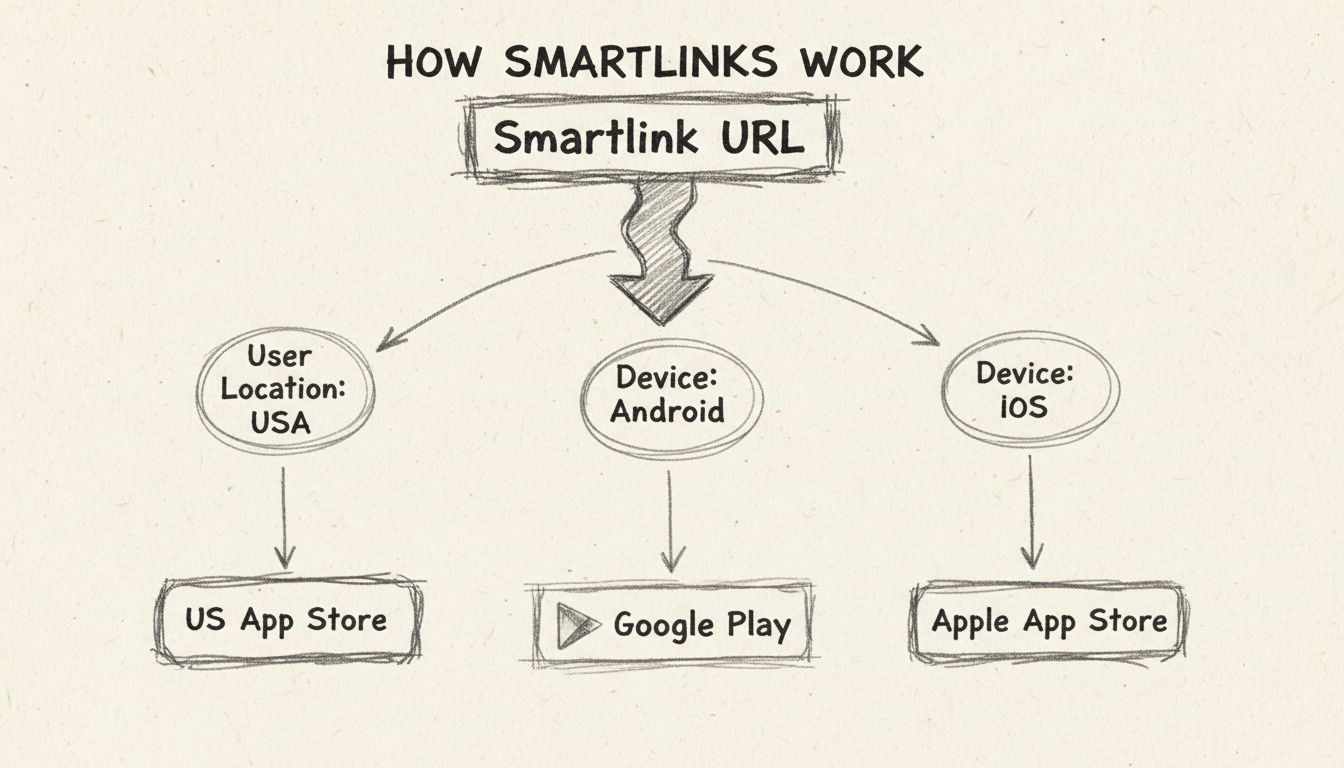
Discover how smartlinks work and their powerful applications in affiliate marketing. Learn how PostAffiliatePro's smartlink technology increases conversions by ...
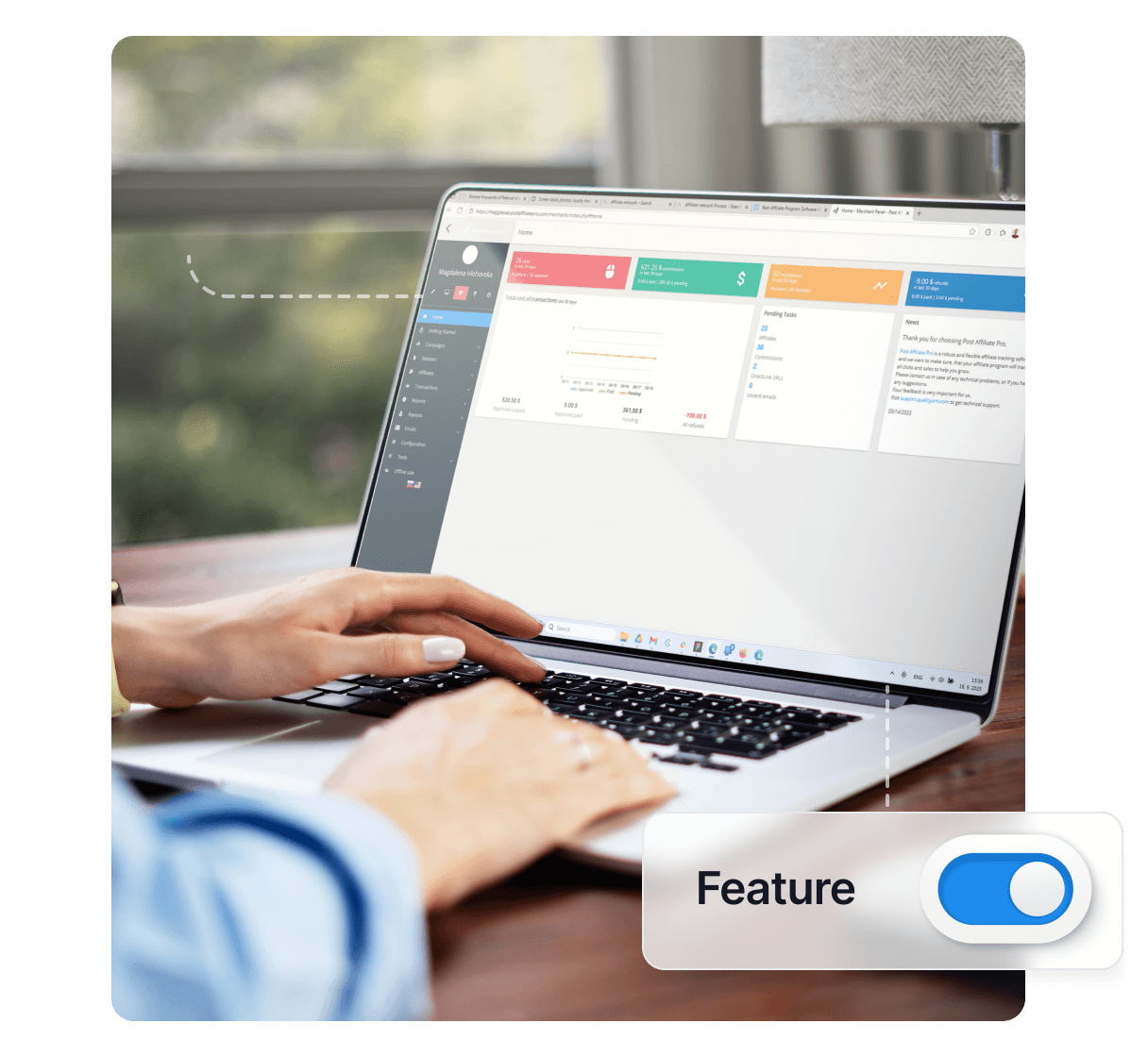
Smartlinks enable you to automatically choose a destination URL for a link or banner based on the GEO location and device of the visitor.
Join our community of happy clients and provide excellent customer support with Post Affiliate Pro.




Cookie Consent
We use cookies to enhance your browsing experience and analyze our traffic. See our privacy policy.